BLOG about IBM Rhapsody. Contains technical information as well as more private travel stories.

Author: rhapsody207 (Page 13 of 14)

Stuttgart 2 (The Sequel)

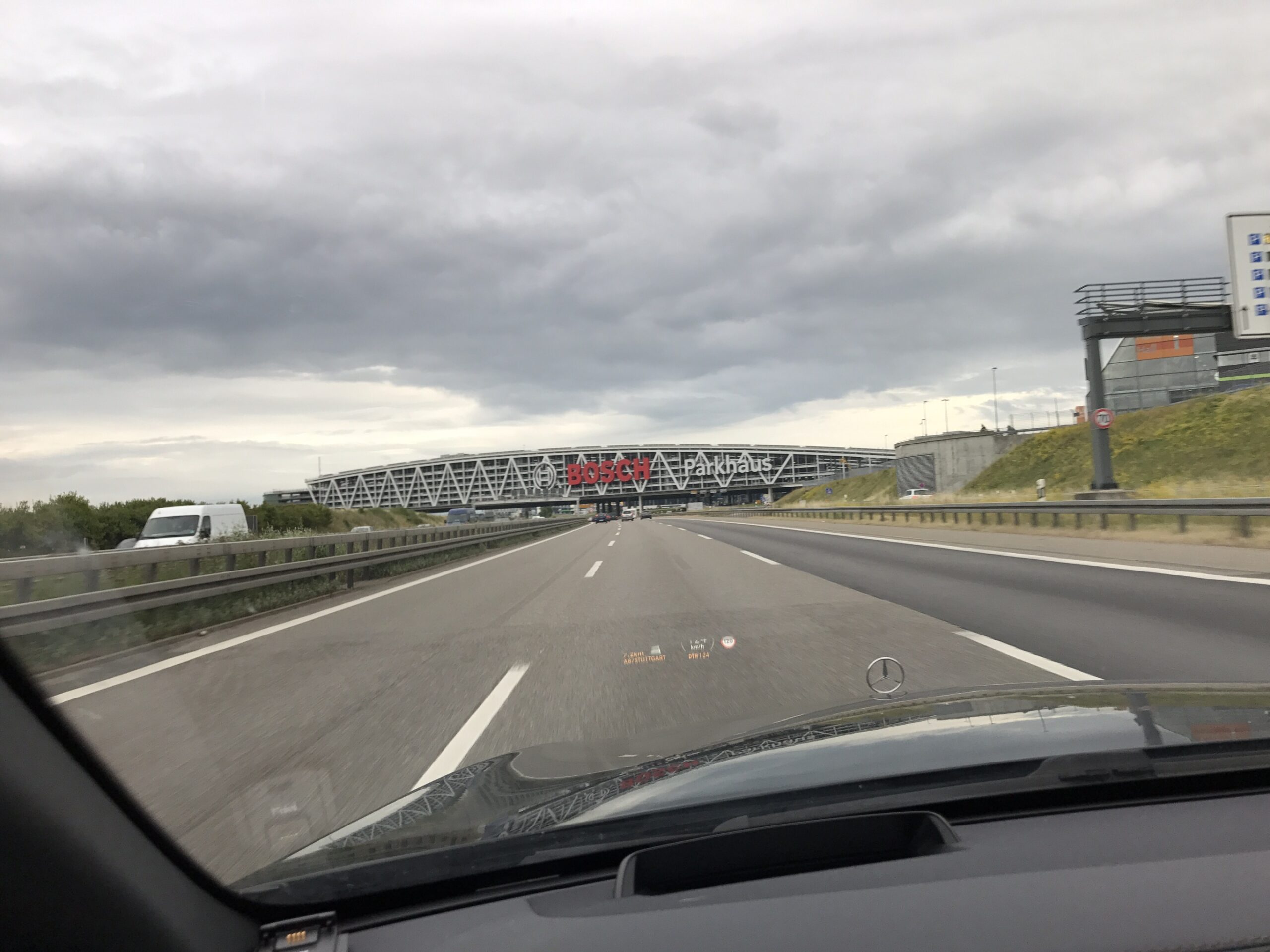
OK… Stuttgart again. I’m there so often that people think I live there… “Neigeschmeckt” they call it … (Something like “Tastes new” but ask a Schwabe if you want to be sure…..) To make it halfway bearable I’m with a different customer again. And I’m not alone, Joachim joins me for the training part and on Wednesday for support with our AUTOMOTIVE Rhapsody Model and later Andreas will join us on Wednesday for the MDSE part.

Yes correct, I’m with an Automotive customer again (what are the odds…) so a lot of extra constraints that are less important at non-automotive sites. They always use AUTOSAR, they never buy chips that have enough memory or enough power to do the job, often they have a very cheap CPU but there is only a CPU manufactured compiler (horrible, sometimes these don’t even fulfill ANSI-‘C’….) And they have time constraints that make all other projects look relaxed.

But this customer might use a bit different approach. At least a decent (although very expensive) compiler: Tasking and a decent (although complicated) CPU: Infineon TriCore. But they are determined to use MDSE and willing to put in the necessary effort.

It was a very nice week with very productive sessions. So I’m sure I will see a lot more of Stuttgart in the next months….

Back to Rhapsody. We had a new case, a customer from…. Stuttgart…., with a question I heard before. But that was a long time ago so i decided not to do a copy/paste solution but to dive into it and see if there were better solutions now. And there was…

The problem, or actually the question, was “How do I use Doxygen within Rhapsody”. Simple question. For those who do not know Doxygen: this is a system (Open source) to document C or C++ (amongst many others but these are the interesting for us)  source code. ( www.doxygen.org ) Of course it is Dutch, what else, and many developers use it.

You can document your source code with certain special comments, Doxygen will look for that and generate either an HTML or a LaTeX file. It can do stuff like generate call trees, looks pretty neat.

My first reaction, years ago, to this question was: why do you need to document your source code? It is generated, who cares? But that is too black and white. A lot of source code inside Rhapsody models can be documented and a Rhapsody model is, of course, way better as documentation but not everybody has Rhapsody! (We are working on that one…) So there is an actual use case for generating documentation from your partly generated source code. We even use Doxygen to document our RXF Framework!

But how do you do that? Simple way is to just use the “Description” field in Rhapsody, it will appear in the generated source code. But there are ways to make this more comfortable.

The “old” solution was to add some properties to your site.prp (sitec, sitecpp) But in modern time we can use profiles for that. So i decided to put the stuff into 2 profiles, one for C and one for C++.

A very nice feature of Rhapsody is that it has profiles. In these profiles you can do a lot of stuff that, once the profile is loaded in a model, has great influence on that model. You can set properties, define stereotypes and define tags. You can also define model elements that will be copied (and adapted!!) to your model and much more, I will write about that in a later Blog entry.

When you define tags in a profile and you assign these tags to a specific model element then (It’s magic!) the tags appear in all that elements in your complete model.

Another nice feature is that Rhapsody has a “Description Template” property for many model elements. In that property you can define what comment you want with that model element. You can use tags there ($TagName), the content of that tag will appear in the description. Quite cool eh?

So if you predefine some tags with Doxygen Standard Comments and you make a clever description template you can generate your source with the correct Doxygen Comments. The nice thing? I already did that for you, just download the model (8.1.5, if you need an older one: just ask, I’ll generate it for you, but you will owe me a beer…)

Download at: DoxyGen815

Happy Modeling with Rhapsody!

Walter van der Heiden (wvdheiden@willert.de)

Stuttgart

I do a lot of traveling. A whole lot of traveling. Mostly Germany but sometimes outside or way outside. But the city I travel to most is Stuttgart. Not because my car was made there but because we have lots and lots of customers here.

Stuttgart and the surrounding cities are not bad, just the traffic is really murdering. They even beat Munich in traffic jams. Part of it is caused by the geography, Stuttgart is a hole between some hills, there is no way you can build decent roads, what is there must be used, no room for more roads.

The other cause is the so-called “Stuttgart 21” plan. This involves railway only but it will take the complete main station and move it underground. If you look where the station used to be it looks like a nuclear bomb just went of…. Big hole with lots of machines. This has its influences on railway traffic but also on everything that goes through the city.

This week is Rhapsody Training at a customer. 5 days! A long time ago a 5 day Rhapsody Training was normal, unfortunately this is no longer the case. It went to 3 days, often only 2 days and there are companions that estimate their employers to be able to learn UML and Rhapsody in 1 day.

This is, of course, total rubbish. Learning UML and Rhapsody takes just as long as learning ‘C’ and compiler/debugger. If by now you think: “Learning ‘C’ goes quick” then please dig your memory for the truth…,. Before you are an experienced ‘C’ programmer, years go by!

The UML is not more difficult or easy to learn, it is just different. And… you have to know ‘C’’ (or ‘C++’) before. This is what Rhapsody generates.

What is difficult about UML/Modeling? Well.. the way you do it is very different from traditional source code programming. I think that is the most difficult part for most “converted programmers”. Modeling is an art, you learn it by doing a real good training (like ours… 😉 ) and by doing it! You need to practice, read a lot, try a lot.

I see many people using Rhapsody The way they use their IDE, try until the code generator produces the desired output. This is wrong! Follow the paths that people like Bruce Powel Douglas and others have described in books, modeling is a lot of work. In the end you will save because the number of errors and changes will be way lower than with traditional programming.

It pays off to invest in a good process (which diagram should I use when?, what information is where?)  and in making your model so that it is actually your documentation. Modeling takes time but it is time you have to take anyway to give your brain the time to understand what you are doing.

I always say: a model behaves just like your car. If your car is dirty, it does not drive “good”. As soon as you wash and vacuum it, you will sense that it drives “better”. Subconsciously, admitted but true. A model behaves the same. If you make it nicer, with straight lines and with elements that have the same size and are outlined you will notice that it makes more fun to use the model. Some think that the drawing part is wasted time: trust me, it’s not!

So beautify your model, insert navigation information so that other can also find their way in your model, use enough diagrams, (every diagram should answer a question) use requirements that you connect to model elements to show traceability. Use stereotypes, profiles and tags to store information in your model. After a while you will do that automatically and the quality of your modeling will increase dramatically. Also re-use will be much easier than it was.

Happy modeling with Rhapsody

Walter van der Heiden (wvdheiden@willert.de)

RUGS & DUGS

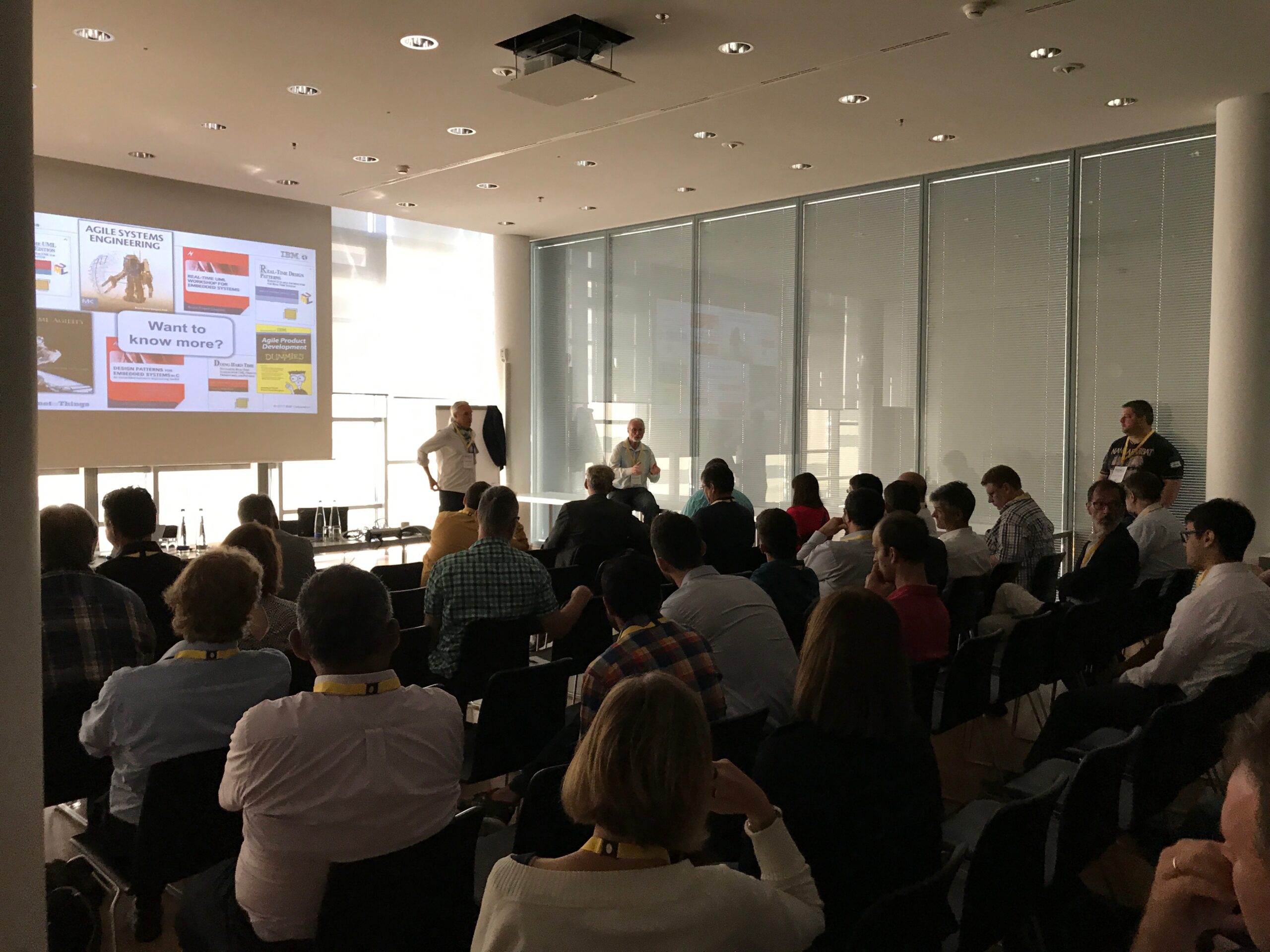
On Tuesday June 27 we had our yearly RUGS&DUGS. That is the Doors and Rhapsody User Group Summit. Actually the correct abbreviation would be DRUGS. Is fine with me (i’m Dutch) but my German colleagues were against that name. Well OK… but acronyms ending in UGS are all problematic… well except Hugs I guess 😉 Check out RUGS/DUGS in google…

But the conference was successful despite the name, a lot of users were there. This year we were in München, not exactly my favourite city. Or to be precise: i hate Munich. Traffic is hell, public transportation sucks, hotel cost a fortune unless there is a fair then hotels cost more than a house in north Germany, the local soccer team are a bunch of tax criminals.

Enough about bad stuff, onto the good stuff. On our User Group Meetings (and also the MESConf we held the day before) we use something called “Open Space”. This is something that was invented by Harrison Owen and David Belisle. These guys organised conferences and in their evaluations they found out that most people liked the conversations they had during the breaks best. So they figured out a way to extend the conversations during breaks: cut the presentations and formalize the breaks.

There is a time/place plan that allows for multiple conversations to take place, participants determine the topics themselves, put them on a board on a specific time and place and others can, with a look on the board, determine what is interesting to go to.

Works like a charm, i’ve witnessed an Open Space conference a dozen times now and all were great. You can learn a lot in a short time.

More Info

This is one of the methods we use to spread our knowledge about MDSE/Rhapsody/Doors/etc. Other methods are:

this BLOG!

FaceBook

Twitter

IBM DeveloperWorks (Recommended!!!)

Rhapsody4You (please use Developerworks from now on!)

UMLforum (use Developerworks please!)

Andy’s Page

Training & Coaching

Download Portal

Support

You see, enough possibilities to extend your knowledge and become an MDSE Pro real fast! About the forums: In close cooperation with IBM (Thanks Johan Adelgaard!!) we decided to concentrate all Rhapsody knowledge on the IBM site. You will need an IBM ID to login but that is totally free and takes 1 minute to set up.

The next UML Trainings are:

  • 19. – 21.09.2017 in Stuttgart
  • 14. – 16.11.2017 in Bückeburg


Happy Modeling with Rhapsody!

Walter van der Heiden, wvdheiden@willert.de

Too hot to work…

There are people who deny the climate change… I’m not one of them. It is hot here today.. and my Home Office does not have an Aircon… Well… just ignore the heat and keep on writing! Today an item about Class Variables in ‘C’.

Support Case

I got a question in support@willert.de (An email address normally only for customers with a valid support contract. But we will do our best to answer all questions from all people)

The question was: Does Rhapsody in ‘C’ has a possibility to use Class variables, i.e Attributes that are shared over all instances?

The answer is, yes with some little tricks!

Class Variables

Class variables are actually not difficult. Normally, Attributes are generated inside the Class structure and can never be declared static, that is a disadvantage of ,C‘.

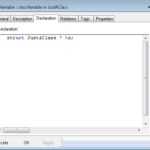
But we also have types that we can use. A Type will be generated outside the Class structure. In combination with a <> „New Term“ we can, with a minimal amount of hand labour, create a Class Variable that helps us in creating a real Singleton.


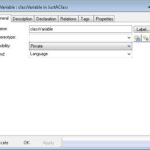
The stereotype does the following:

– It sets the name for the variable (prefixed with the class name) and the visibility. – The variable is declared „static“ so it is not visible outside the C file.

– Visibility is set to private.


TheType must be „LanguageType“ and the declaration must be the desiredType. %s is the name of theType.

The nice thing about this is that it really looks good in your browser tree, very logical what is happening, as it should be!

Happy Modeling with Rhapsody!

Walter van der Heiden wvdheiden@willert.de


The more Objects you ‘C’…

A BLOG entry… on this holiday in (most of) Germany.

Many years ago i was asked to work on a project in Germany, in Düsseldorf to be precise. That is when I found out that Germans have lots of holidays, probably more than anywhere in the world, at least a lot more then in the Netherlands.
The number is varying depending in where in Germany you are. The southern states have the most, the Northern states the least. The southern states are also the economically best ones…

Coincidence? I think not.

Since I’m now at home where everybody works, i have enough time to write a BLOG entry. Today about a question that is keeping the embedded world busy since a long time:

Shall I use ‘C’ or ‘C++’?

The answer is not really simple (as expected…). There is a simple answer, it is: “It depends”. Does not help…

Depends on what? Well… on a couple of things:

  • How is your ‘C++’ knowledge? It is not recommended to use an important project for your first ‘C++’ experience…. Stay with ‘C’ if you are comfortable with it.
  • Is there a decent ‘C++’ compiler for your target environment? With decent I mean a real, full-fledged, used by many others ‘C++’ compiler. Not a ‘C++’ front-end, not a crippled C++ compiler.
  • Do you have a lot of legacy code available in ‘C’ or in ‘C++’. Then that should be the language of choice

In earlier days other arguments would have been: how much memory does your target have? Today this is no longer valid. We (Willert) have Rhapsody frameworks available for C and C++ for many targets. We can also compare between both languages and we have measured that in many case C++ is smaller and faster than C!

For the hard-core ‘C’ programmers: Rhapsody in ‘C’ is an excellent way to learn Object Orientation and eventually ‘C++’!

I learned to program ‘C’ in 1982 in school. I tried to learn ‘C++’ end of the 1990’s. Bought me a book (Unfortunately “The C++ Programming Language by Bjarne Stroustrup”, not exactly a learning book…..) After reading this I was not a single bit wiser about ‘C++’ . I found it very difficult to understand what Classes and Objects were. When I started using Rhapsody in ‘C’ I  started to understand OO while the OO was expressed in ‘C’, which I could read and understand.

So a real answer cannot be given but the trend is towards ‘C++’. My Advice: If you can use ‘C++: do it, if you can’t, think twice about alternatives.

Happy Modeling with Rhapsody!

Walter van der Heiden (wvdheiden@willert.de)

Was ist grün und stinkt nach Fisch….

This week we are in Bremen, “we” being my son Robbert (who does an internship @ Willert) and me. The title is German and means:

“What is green and smells fishy”. This is what German soccer fans sing when they play against the local soccer team “Werder Bremen”. Because Bremen is near the sea and you can eat fish here. (Which tastes excellent by the way…) Later some pictures, now some Rhapsody!

Rhapsody First-Aid:

Sometimes Rhapsody is not working as it should. Many “problems” can be solved by installing Rhapsody in the right way and by using it the right way.

Here are some quick solutions that might help improving your Rhapsody Experience:

  • Use the 32-bit version of Rhapsody.
  • OK, Rhapsody brings its own Java JDK but please see that you have a 32-bit version of Java installed.
  • When possible, install “as Administrator”. Just install as admin, do not login as admin!!
  • Do not use “Install for all users” when installing. Please….
  • Do only use “Install all files in one directory” when you install outside “c:\Program Files”, otherwise: don’t!
  • Rhapsody installs in 2 directories: Programs (default: “c:\Program Files”) and Data (default: “c:\users\<you>”)
  • Always install the developer. You can later start the correct version by editing the “rhapsody.ini” file or via the command-line.
  • Edit rhapsody.ini to start the version/language you need. DefaultEdition = Developer/Architect/Designer …, DefaultLanguage = C/C++/Java
  • Install only the languages you _really_ need.
  • If you have multiple versions of Rhapsody installed: only the last one is the default!
  • Before trying to fix stuff: remember that a re-install does not take long.

After installing:

  • When starting Rhapsody for the first time: do it “as Administrator”.
  • Rhapsody heavily relies on the rhapsody.ini in the Data directory (Share) check if there are no duplicates (e.g in the c:\windows directory)
  • Using Rhapsody as Eclipse starts the Version/Language as set in rhapsody.ini
  • Rhapsody is sensitive for having a “Bad Windows”. Many crashes are an indication for a DLL Problem.
  • In 8.2 there is a known Problem when “Active Code View” is on and a diagram is opened.

We hope that this helps you when installing and using Rhapsody!


Walter van der Heiden (wvdheiden@willert.de)

Backups are for woozies

I always use to say: Rhapsody is a program for real men.

Not that it is unsuitable for women… far from that. I’m jokingly trying to make clear that Rhapsody leaves a lot to the users attention.

Unlike most Windows versions Rhapsody will never warn you when an action can have consequences that might hurt. Hence the “real men”. Apparently they don’t cry in these situations. Unless they have the flu but that’s a different story.

Rhapsody comes in various flavours, C/C++/Java/ADA (C# was discontinued a while ago) and also some SysML and UML Versions. However, there is only one rhapsody.exe on your hard-drive (unless you have multiple versions installed, yeah, yeah)
The command line or rhapsody.ini combined with your license file determines which version is started. Rhapsody says in the menu bar which version you just started, this is where you should pay attention to prevent a lot of work afterwards.

Language

You can open a Rhapsody in ‘C’ model in Rhapsody in ‘C++’, in fact it will still be a Rhapsody in ‘C’ model and ‘C’ will be generated. The “last opened model” list will show you the last opened models regardless of the language. The trouble is when you inadvertently start with a ‘C++’ model and wanted a ‘C’ model. You can repair that but there will always be remains of the original language.

Rhapsody “Version”

I don’t mean 7.4 or 8.0. I mean Architect or Developer. Starting the wrong Rhapsody is not so bad, you will notice when you start using options that are not supported. The models are the same, Rhapsody cannot determine with which version they were made. So you’re OK there.

Version

Now i talk about 7.x or 8.x. That is different. Opening a “new” model with an older version of Rhapsody will not work, you get an error message. Opening an old model with a new Rhapsody works. Unfortunately…. no warning is issued, even not when you press save!

You notice the problem once you try to open the saved model with an older version of Rhapsody again…. no luck…

You can see that your model was older than the Rhapsody version, your model browser will show a “settings” folder that contains entries named CGCompatibilityPreXY. This indicates the model was made in an older version of Rhapsody.

I saved in a new version… what now…

Since 7.4 Rhapsody knows a “Save As” (One ’s’…) where you can select an older version to save to. Looks nice but remember: only 2 versions back… Luckily some newer versions of Rhapsody do not use a different format for the models so you always can go back 4 versions. But going from 8.2 to 7.4 is a lengthy process and involves 6 different Rhapsody versions…. The success is also limited, most versions of Rhapsody complain when doing “save As” that “information will get lost” but no indication is given to what might get lost…

What to do with CGCompatibilityPreXY?

Get rid of them ASAP. How? Easy! Before opening the model with a newer Rhapsody, generate code with the older version. Store that and then open with the new Rhapsody. First generate code and compare. If nothing has changed: lucky you! If there are changes: check if they interfere with your software. If yes either try to find out yourself what you can do about it or ask us: support@willert.de. We will help you as good as possible.
Now click on one of the CGCompatibilityPreXY’s, open the properties, switch to “Locally overridden” and check if this property might influence your model and/or code. If you don’t know: generate code and compare. If you need one of the properties: set it in your own profile, if you don’t need it: dump it. Go on until all properties are accounted for and then delete the CGCompatibilityPreXY file. repeat that for all files until you are done. Beware that there are properties in the CGCompatibilityPreXY files that are only for compatibility reasons. They will not appear in the standard property files! The only way to add them is to add them in the site.prp (or siteC.prp file) (I don’t like that as well but there is no other way)

Crash…

Rhapsody is a very stable program. The latest versions are suffering from some instability however. This is not all to blame on IBM. Most of the problems are caused by Microsoft and IT departments that treat software developers as all the other windows users in the company. Windows policies, lack of rights, incompetent system administrators, a deadly combination. As already said in <<>> link, installing is something to consider carefully.

But… what to do after a crash… or better before a crash. By default Rhapsody makes autosaves, every 10 minutes. So when a crash happened and you start Rhapsody again it will ask you (when opening the crashed model again) “Autosave exists, load autosave?” Be careful what you answer here… it is a one-time answer…. The one you choose will be selected, the other deleted. As I said before… Rhapsody is a program for real man. If in doubt: make a copy first. Or better: use config management.

There is General::Model::AutoSaveInterval, set that to a lower value to increase the saves.General::Model::BackUps can be set to One or Two to make backups of your model when you save. General::Model::SaveBeforeCodeGeneration can be set to TRUE so that code generation automatically saves your model.


Happy Modeling with Rhapsody!

Walter van der Heiden (wvdheiden@willert.de)

Properties. Stairway to heaven, highway to hell….

Where to change?

One of the cool features of Rhapsody is the large number of properties that allow you to configure many things to your needs.

One of the scariest features is the large number of properties that allow you to really make a mess of your model….

The truth here is somewhere in the middle. Properties are definitely very cool but should be used with care.

  1. Do not use Factory.prp or Factory<Lang>.prp to let Rhapsody use your properties. Not never…. Every installation uses its own Factory files and they can be changed so copying them from an old installation is not an option. It is called “Factory” for a reason.
  2. If you really have to change something globally, please use the “Include” statement in the prp files so that  your properties are stored independent of the Rhapsody installation.
  3. Using changes in Site or Factory are not really the best way of doing stuff. You have to install the same files on _every_ workstation in your organization otherwise it is possible that you are confronted with unwanted behavior.
  4. Properties belong in a profile so that you can load many settings in one go. You can store the profiles under the Rhapsody Share directory (Share\properties). When you create a txt file with the same base name as the property file you can add a description and the “New Project” Dialog will show your property file under “Settings”
  5. Not all properties can be set in a profile, model level properties for instance cannot be set on profile level.

Limit Roundtrip errors

A default setting in Rhapsody that really does not make any sense is the Roundtrip settings. Default Rhapsody lets you change whatever you want and hides the results for you. I’ve had crying man on the phone that were desperate while Rhapsody generated code that they could not understand. The default is OK for Rhapsody Experts, they know what to expect but for newbies it is just wrong.

So change:
Browser::Settings::ShowSourceArtifacts to TRUE and
C_Roundtrip::General::RoundtripScheme to Basic

That will limit your changes to what you can change anyway (Function contents and other stuff that is between  /*#[ …. */ and /*#]*/

Model Beautifier

Curves are nice but in different types of models. Not in UML models. For reasons beyond our understanding IBM has chosen curved as default. There are a lot of properties involved to cure  that. This is done best in a profile. In Subject “StatechartDiagram” you can find all the properties you need.
StatechartDiagram::Transition::line_style set to rectilinear (or rounded_rectilinear)
I think you can handle the rest of the properties yourself. Another that is useful is:
StatechartDiagram::Requirement::RequirementNotation set to Box_style if you want.
ObjectModelGe::Requirement::ShowAnnotationContents can be set to “Specification” because that is what you want to see.
As you see, all model elements have properties in different diagram types, yes… you have to change them all. A bit of work but very rewarding!

User defined Types

When using your own types you will notice that the PreDefinedTypes packages stay there (and cannot be deleted). You can however hide them with:Browser::Settings::ShowPredefinedPackage to False.
Then you can either create a package with your own types, or use a package with external types and include <stdint.h> to use C99 (or define C++ stdint types)
Change: General::Model::CommonTypes and add your own type packages (Use fully qualified names when using subpackages!, multiple packages can be separated by ‘,’) to have only your own types when selecting the type for attributes or arguments etc. In General::Model::DefaultType you can set the default (“TypePkg::Type”).


Happy Modeling with Rhapsody!

Walter van der Heiden (wvdheiden@willert.de)

Installing Rhapsody

Starting with Rhapsody

The first thing you need to go through when you want to use Rhapsody is the installation procedure.

This used to be easy (Everything was better in the past…) in the Windows XP times. But since Microsoft was not capable of making Windows secure without going through 200 detours, from Windows 7 on, installing is a pain in the lower back.

Have I already told you that I hate windows?

Windows does not allow applications to change stuff in the c:\Program Files (In other languages this is named differently, i.e. in German it is c:\Programme)

I’ve heard a lot of people saying: No problem, I am administrator! Yes. You wish. Windows decides otherwise. Only install programs are allowed to write in the Program Directory, then Windows creates a rollback point and when a normal application writes your Windows can decide that said changes are not allowed and it will roll back to the previous situation.

Since Rhapsody has a very large data directory (/Share) that needs to be installed in another directory. This is where trouble starts….

Default is that the Rhapsody Program Files are installed in the windows Program Directory, the Rhapsody Data is installed in your user directory (c:\users\)

Now during installation, one menu offers you 2 ticks:
– Install everything in one directory
– Install for all users

The first is deadly when you use it to install everything under Windows Program Files. On the other hand, the same menu also offers you the possibility to change the install directory, This is how you can create a separate directory for your development tools which is HIGHLY RECOMMENDED! Windows will leave your tools alone and you have everything in one directory.

The second tick makes your situation even worse since your Rhapsody data will be installed in a (default) hidden directory c:\ProgramData. The advantage would be that you can use the same Rhapsody data for multiple users on your machine (as if…, technically it is not even allowed, you would need a floating license since standard license is an authorised user…)

Which version of Rhapsody should I install?

Easy answer: Developer. Always. It contains all you need even if you have a different license. Select the languages that you will really use (C, C++ or Java)

The advantage is that you have installed all you need. The drawback is that Rhapsody is now setup to automatically start the developer, which is less desirable when you do not have a license for that version.

But you can edit the rhapsody.ini file, two lines in there determine which rhapsody is started by default:
DefaultLanguage=c (or C++ or Java)
DefaultEdition=Developer (or Architect or Designer or SystemArchitect)

You can also override this options by using the command-line. -lang=C -dev_ed will start the developer. -architect, -designer -systemarchitect -lang=C++ -lang=Java will start what you want.

That’s all?

Nope… We have found out that Rhapsody install does not solve all dependencies correctly. The best way to use Rhapsody is to start it as Administrator once. Just right-click and select “start as administrator”. Open a model, save it and leave Rhapsody. You should be OK now.

32-bits or 64-bits?

Unfortunately still 32-bits… the 64-bits versions lacks features that we love. IBM is working on it really hard and I hope we can soon give the advise to install 32-bits.
Also the Willert Embedded UML Studio is based on 32-bits, it is not _really_ installing well on 64-bits Rhapsody.
There is no _real_ disadvantage since Rhapsody can only load models that are 1.5GB max. That will still fit in a 32-bits environment.

Not Anymore…

Since Version 8.3 there are no more objections against the 64Bit Version! On the contrary, we recommend to install the 64Bit Version. Our Installer is adapted to it (Check out the DLP)

Happy modeling with Rhapsody! CU next time.

Walter van der Heiden (wvdheiden@willert.de)

AUTOSAR meets Fjällbacka

The Willert AUTOSAR Team (Clemens Maas and me) regularly visit the AUTOSAR meetings. (See: AUTOSAR WebSite)

Since our successful introduction of Rhapsody @ Marquardt (See: Referenzstudie (German) ) we do more and more Automotive. The increase of software in cars is helping us to more and more Automotive customers that are all struggling to create their software in time and without (greater) errors.

AUTOSAR is the Automotive worlds standard to improve software development. It is an organisation that is founded by the major (mostly German) Car manufacturers. You can become a member and in that way cooperate and contribute to the software standard.

What does this have to do with Rhapsody? Good question…. I’d say: everything. With Rhapsody (UML or SysML) you can also improve your software quality, time to market, re-use and more. The combination of both worlds is, however, not really easy.

Many AUTOSAR artefacts look like UML or SysML artefacts but are different. Rhapsody is used to store everything in its own database (not a real database but it’s own file format) and not used to export stuff to cooperate with other tools like MatLab. This is something that is defined in AUTOSAR, the ARXML files that you exchange on all levels for information interchange between tools.

Rhapsody has an AUTOSAR profile that allows the import and export of ARXML files. When you want to use Rhapsody for Architecture you can then export your Rhapsody model as ARXML to do further work in other tools. The other way around is also possible, you can draw your architecture in a Vector or Elektrobit tool, export ARXML, import that in Rhapsody and then create RIMBOs to add behavioral elements.

Sounds complicated and… unfortunately…. it is. We at Willert have designed an “AUTOSAR light” solution that allows the use of Rhapsody on a much simpler level. We import ARXML but convert all items to standard UML items. You can add behavior in a normal Rhapsody way, generate code and… it works. in the current version you have to do some stuff by hand but we are working on automating that as well.

So….back to Fjällbacka… a very nice town, we can recommend a visit!


Happy Modeling with Rhapsody!

Walter van der Heiden (wvdheiden@willert.de)

« Older posts Newer posts »

© 2026 Rhapsody TechBlog

Theme by Anders NorenUp ↑