BLOG about IBM Rhapsody. Contains technical information as well as more private travel stories.

Tag: Tools & Tech (Page 1 of 6)

Mercury Rising

AI Meets Rhapsody (and I Meet Welsh Hedgerows)

Mercury Rising: AI Meets Rhapsody (and I Meet Welsh Hedgerows)

Flying into Bristol, picking up a rental car, and immediately remembering why left-hand driving on narrow Welsh roads is… an experience. Destination: Usk, Wales. Purpose: work stuff that I can’t talk about in detail, but let’s just say it involved some interesting conversations about the future of systems engineering.

The drive from Bristol to Usk was like being dropped into an episode of “Escape to the Country” (which, yes, Jannie and I watch religiously). Rolling green hills, stone cottages, roads that seem designed for horses and carts rather than rental cars driven by confused Dutch guys trying to remember which side of the road they’re supposed to be on.
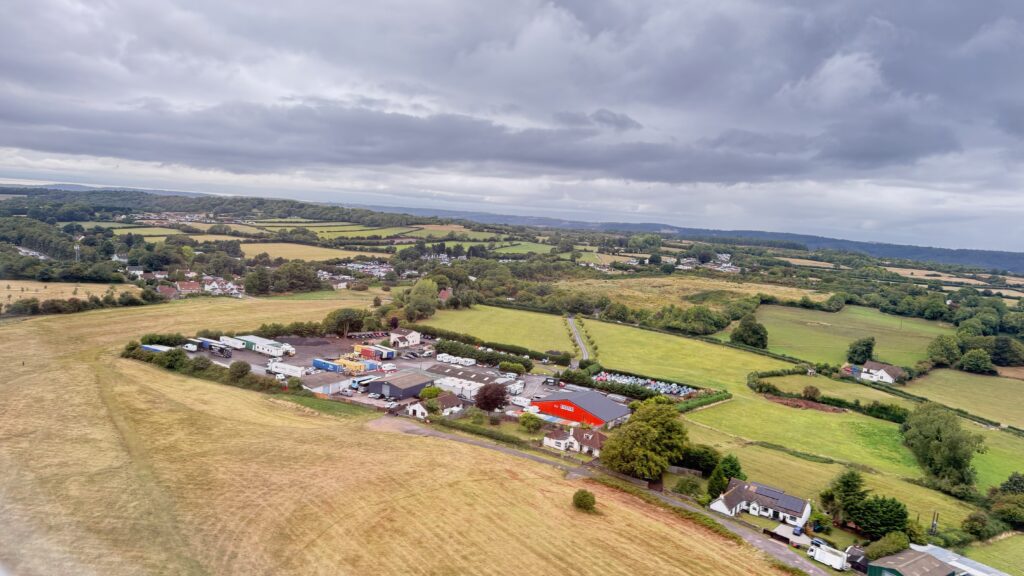
Welsh countryside aerial view

Every turn felt like I was about to meet a tractor head-on, or worse, scrape the rental car against one of those ancient stone walls. But somehow I made it to Usk in one piece, which is more than I can say for my nerves.

Mercury: When AI Meets Model-Based Engineering

Which brings me to why I’m really writing this post. While I was navigating those Welsh country lanes, my colleagues back home were putting the finishing touches on something we’ve been working on for a while: Mercury, our latest extension to Rhapsody.

Now, before you roll your eyes and think “Oh great, another AI thing,” hear me out. Mercury isn’t just AI for the sake of having AI. It’s AI that actually does something useful for us systems engineers.
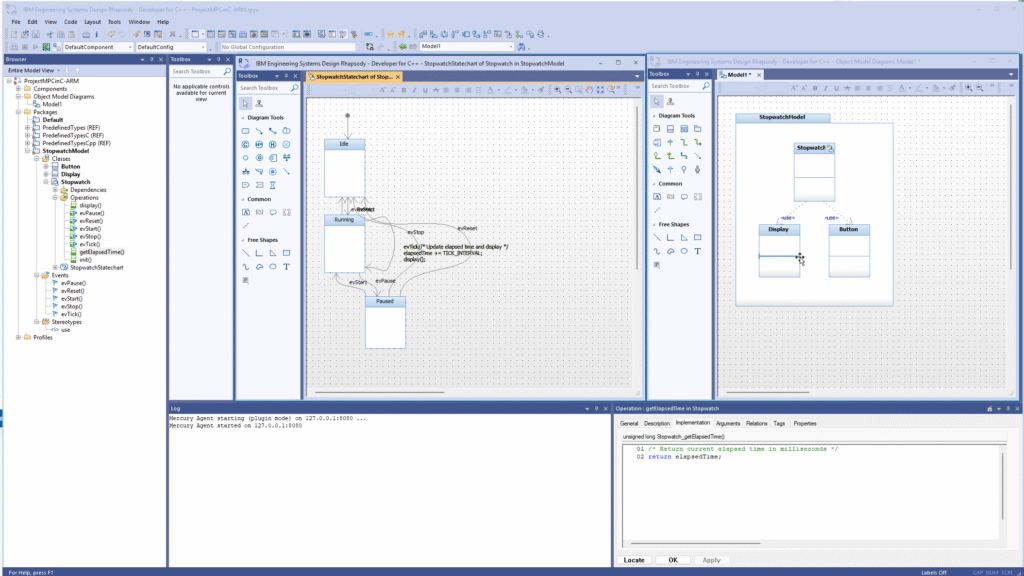
Mercury AI in IBM Rhapsody

What Does Mercury Actually Do?

Simple version? You can write your requirements in natural language, and Mercury will generate a model for you. Not a perfect model—let’s not get carried away—but a decent starting point that you can refine.

Think about it: instead of spending hours creating class diagrams from scratch, you describe what you want in plain English (or Dutch, or German, or whatever), and Mercury gives you something to work with.

“I need a system that manages user authentication with role-based permissions and audit logging.”

Boom. Mercury creates the basic structure. Classes, relationships, interfaces. You still need to refine it, add the details, make it actually work—but the tedious initial setup? Done.
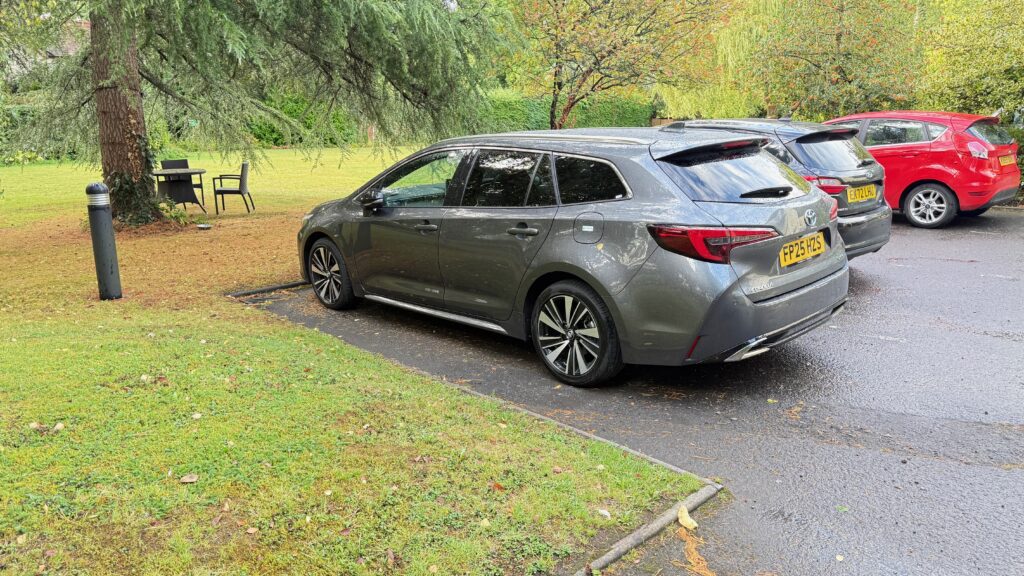
Rental car in Wales

Reverse Engineering That Actually Works

But here’s where it gets interesting (and where I stopped thinking about Welsh hedgerows for a moment). Mercury can also work backwards. Give it existing code, and it’ll create models and documentation.

You know that legacy system everyone’s afraid to touch? The one where the original developer left three years ago and took all the knowledge with them? Mercury can help make sense of it. It’ll read through the code, identify patterns, create UML diagrams, even suggest what the requirements might have been.

Is it perfect? No. Is it better than trying to reverse-engineer a 50,000-line codebase by hand? Absolutely.
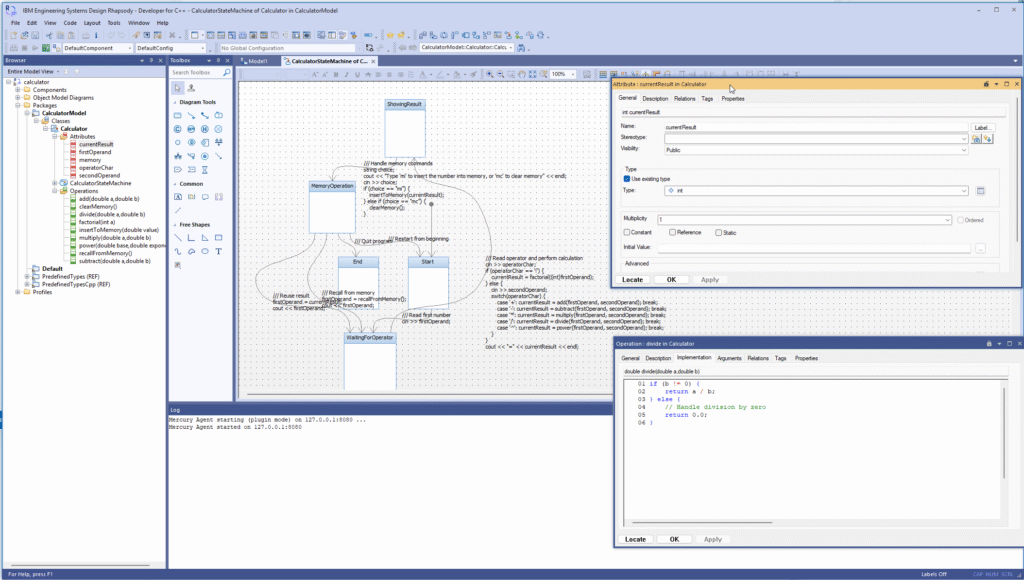
Rhapsody reverse engineering

Requirements and Traceability

And then there’s the requirements side. Mercury can read your existing requirements documents (yes, even those Word documents everyone pretends don’t exist) and create proper traceability matrices. It can spot inconsistencies, identify gaps, even suggest test cases based on the requirements.

Remember those three-hour meetings where you try to figure out which requirements are actually implemented and which ones are just wishful thinking? Mercury can do a lot of that legwork for you.

The Welsh Connection

Sitting in a pub in Usk that evening (after successfully navigating more narrow roads without major incident), I was thinking about how both AI and Welsh country roads require a certain amount of trust. You have to trust that the AI understands what you’re asking for. You have to trust that the road actually goes somewhere and isn’t just going to end in someone’s back garden.

Pub in Usk, Wales

With Mercury, we’re not trying to replace systems engineers. We’re trying to give them better tools. The same way GPS doesn’t replace the need for a driver, but it sure makes navigation easier (even on Welsh country roads).

First Impressions

I’ve been playing with Mercury for some time now, and honestly? It’s promising. Not revolutionary—let’s not oversell this—but definitely useful. It’s like having a junior engineer who never gets tired, never complains about documentation, and doesn’t mind doing the boring setup work.

The model generation is surprisingly good for simple systems. Complex stuff still needs human intervention, but for getting started? It beats staring at a blank Rhapsody workspace.

The reverse engineering is where it really shines. I fed it some automotive code we’ve been working with, and it produced documentation that was actually readable. Not perfect, but readable.
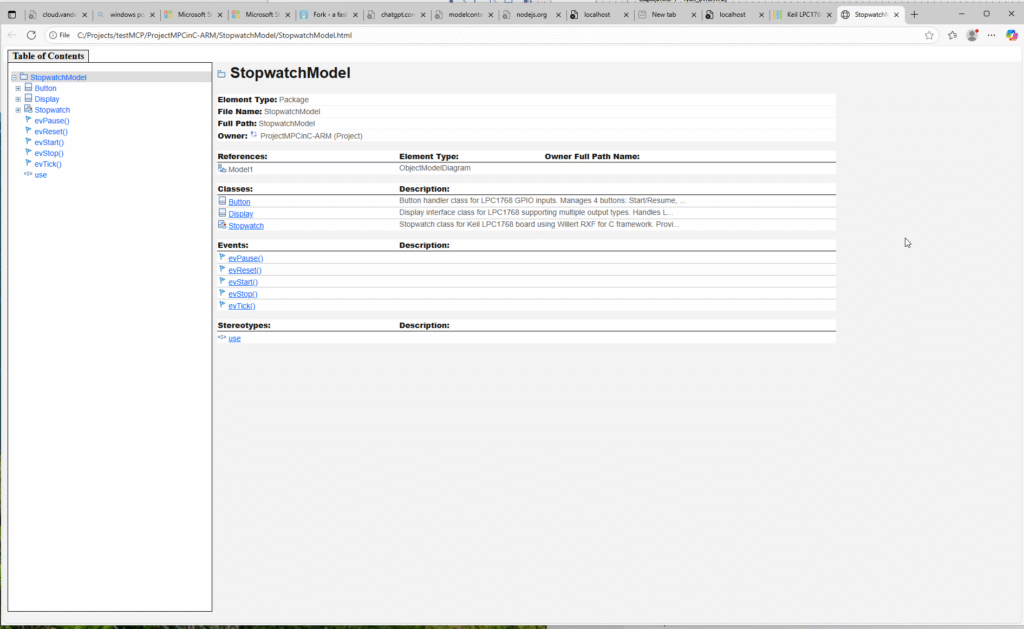
StopwatchModel in Rhapsody

The Reality Check

Will Mercury solve all our systems engineering problems? No. (I feel like I say this a lot, but it’s always true.) Will it make some tasks less tedious? Yes, and that’s enough for now.

The AI hype cycle is exhausting, I know. Everyone’s promising that AI will revolutionize everything, cure diseases, solve world hunger, and probably make better coffee. Mercury has more modest goals: help systems engineers do their jobs with less tedious busy work.

And sometimes, that’s exactly what you need.

Pics or it didn’t happen

Well i have a movie? Does that count?

Create a model from almost nothing.

Back home

My flight left on saturday morning. Who needs weekend when he does amazing things… It was early but really cool. Great visit to Wales. “I’ll be back”!


Welsh countryside from the road
View from airplane window

Final Thoughts

Driving back to Bristol the next day (slightly more confident about the left-hand driving thing), I realized that both Mercury and Welsh country roads teach you the same lesson: trust the process, but stay alert.

Mercury will generate models and documentation that are mostly right. Your job is to spot where “mostly right” isn’t good enough and fix it. Just like driving those narrow roads—the GPS will get you close, but you still need to pay attention to avoid the stone walls.

If you’re curious about Mercury, drop me a line. We’re still in beta, still figuring out what works and what doesn’t. But so far, it’s looking promising.

P.S. – “Escape to the Country” makes Welsh property hunting look much more relaxing than Welsh driving. Trust me on this one.


Have you tried any AI-powered engineering tools? What worked, what didn’t? Let me know in the comments below.

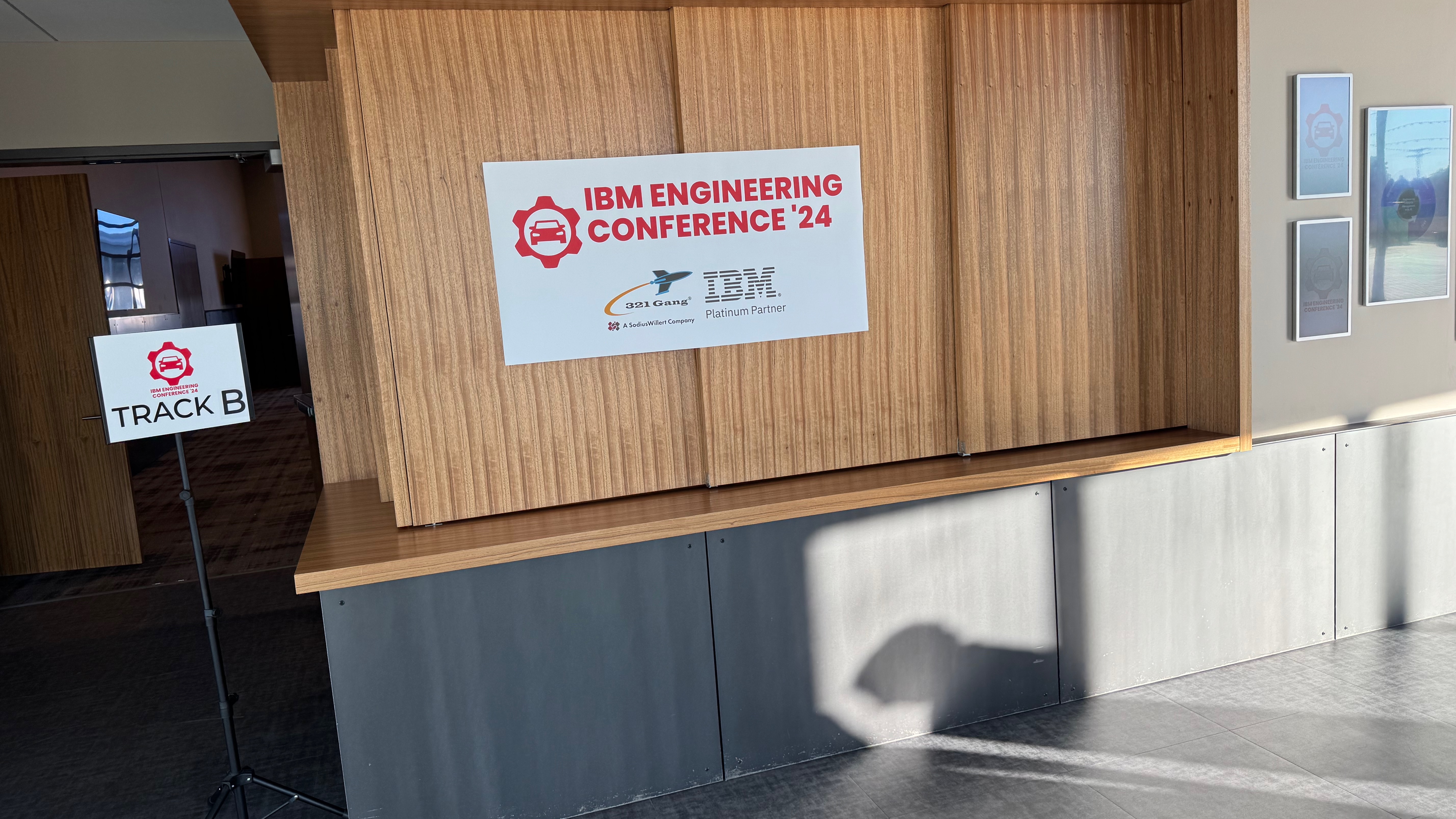
Detroit Rhapsody Rock Units

Introduction

For our US Automotive Day I flew to Detroit again! I really like Detroit, it’s way better than its reputation!
We organized a day after the German Automotive Day example. Our Marketing Guru, Tom Hollowell, discovered a racing track. It offered a great conference place and a race track where we were driven around.
No we were not allowed to take the wheel, unfortunately, but we were chauffeured by 2 professional racing drivers.
It was pretty awesome. We had just enough rides for everybody. Luckily, not everybody had enough nerves to go in a fast car around the track.
So I went twice… Loved it…

Rhapsody Units

There are still people asking what “Units” are in Rhapsody. And it is easy: it is the smallest “Unit” you can store in CM separately. Default units are:

  • Model
  • Package
  • Component

Units are easily ( if you have good eyes, that is… ) recognizable by the small icon decorator in the lower left corner. The decorator is either Grey (saved) or Red ( not saved). This indicates that Rhapsody will store that “unit” in a separate file. It allows it to be stored separately in a CM (That is mostly file-based). By right-clicking on a “non-Unit” element in Rhapsody, you can select “Create Unit.” This will give you the opportunity to store a Unit in its own file. The property General::Model::DiagramIsSavedUnit causes all diagrams to be saved in a separate file. In the same Subject::Metaclass, you can also find properties like BlockIsSavedUnit, ClassIsSavedUnit, and ComponentFileIsSavedUnit. There are also properties like ComponentIsSavedUnit (Default on), FileIsSavedUnit, and FolderIsSavedUnit. You will find ObjectIsSavedUnit and PackageIsSavedUnit (Default on) too. With these, you can control what is a Unit and what not.

The file extensions are: (add an “x” for the post 8.3 file format)

ElementOld < 8.3New > 8.3
Model.rpy.rpyx
Package/Profile.sbs.sbsx
Component.cmp.cmpx
Object Model Diagram.omd.omdx
Sequence Diagram.msc.mscx
Use-Case Diagram.ucd.ucdx
Structure Diagram.std.stdx
Deployment Diagram.dpd.dpdx
Collaboration Diagram.clb.clbx
Panel Diagram.pld.pldx
Timing Diagram.tmd.tmdx
Class/Object.cls.clsx
Did I miss one????????x


Ann Arbor

After the event I was invited by Tom and Carol to a dinner in Ann Arbor. A beautiful place, we drove around after dinner. (Thanks again! It was great!) Tom always posts sunsets on FaceBook… unbeatable.

Have fun modeling with Rhapsody

Walter van der Heiden ( walter@sodiuswillert.com )

Rhapsody to Cameo: Save Time and Effort.

Introduction

So… you are a Rhapsody user. Always have been, always will be. Like me, I also have a love/hate relationship with it. More love but there are times when I think: “Rhapsody??? really???”

But suppose you work somewhere in a place where people want to force you to use MagicDraw (Cameo). Not a bad tool, definitely not, but no Rhapsody. Because in spite of all it’s peculiarities, it’s a brilliant tool. And then there’s Code Generation.

Your protest is futile: You have no choice. You have to. But… What to do with all your old models? Make them again? Use XMI (Spoiler alert: doesn’t work very well)

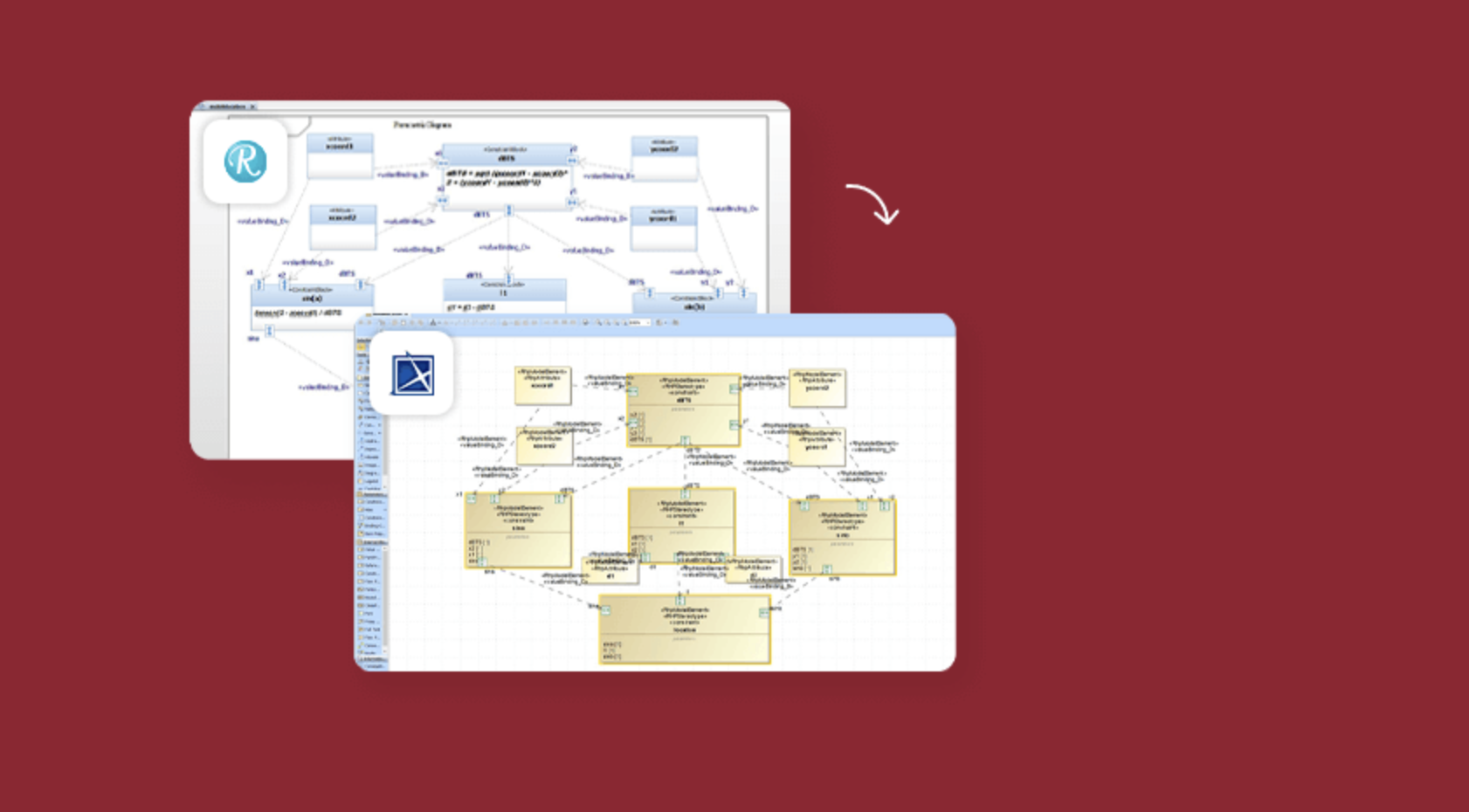
That’s only one use-case for a product we call “Publisher.” A tool that can take Rhapsody Models and save them as perfect Cameo models. Or the other way around. Or from System Architect. Or RSA. Or even Enterprise Architect!

Another use-case is that the US Defense Ministry demands models to be in Cameo format. In that case, you want a converter that 1:1 copies your Rhapsody Project to Cameo. Or saves it as a Cameo Model.

Wait! There’s more: If you really like Cameo (and who doesn’t!) then you can use it for Systems Engineering and then use the Rhapsody CG to do Software Engineering.

So as you will understand: SodiusWillert has that. A perfect way to save your valuable models in another format with the certainty that no information is lost in the process.

Vegas. Really??

Yep. It seems all large events are in Vegas nowadays. Also the Siemens Realize live I had to visit. My regular readers know how I think about Las Vegas, read this BLOG entry if you don’t.

But the Siemens conference was great, it was in the Mandalay Bay, which is a bit less bad IMHO. We had a booth there and it was quite successful, I think.
My personal highlight was the Keynote by Tony Hemmelgarn, CEO of Siemens DI SW. He spoke about the advantages of MBSE and mentioned Rhapsody in a very nice and loving way. I cannot remember an IBM event where I heard anybody speak in such a way about modeling (Except for me, of course! 😉 )

The best news was, however, that next years event will be in Detroit. And the European version in Amsterdam. Less travel. Also, only 6 hours of time difference and not 9. The latter is a real burden on the communication with home, there’s just not enough time overlap left. And the times that you are both awake, there is the fact that the times don’t sync. One always is doing something when the other has time to call and vice versa.

We spent some time walking around. I must confess that this “Sphere” was pretty impressive.

Back to the Publisher

First of all: here you can read all about it and… Try Before You Buy!

Convert systems models from IBM Rhapsody to Cameo Systems Modeler and Cameo MagicDraw with one click. Our Publisher for Rhapsody supports the conversion of modeling formats like SysML, UML, and UPDM and all model diagrams, elements, structure, and hierarchy. Convert large systems models fully automated with full support for diagrams, logging of model transformation action and configurable diagram layouts.

Save time manually cleaning up your target model by leveraging user-configurable settings and display styling in the conversion. Publisher for Rhapsody provides two configuration files that allow teams to control and consistently apply their defined methods and styling.

Publisher for Rhapsody implements model checking to identify, log, and report inconsistencies in the source model, then converts UML, UPDM, or SysML elements​ such as hierarchy, diagrams, and relationships to ensure 100% compatibility in Cameo Systems Modeler. For UPDM elements, it also converts Architecture Description, Packages, and Viewpoints.

The Publisher does the complete model. All model elements, also all diagrams! It keeps your diagrams in the same shape so you will recognize them in the blink of an eye! It even check-ups your models before converting them, we don’t want “garbage in, garbage out!”

Even roundtripping is supported. So if you want to exchange models that will be changed in both tools: All possible!

That’s it for today. Feel free to contact me if you have any questions;

Happy Modeling with (either Cameo or ) Rhapsody.

Walter van der Heiden walter@sodiuswillert.com

M2M Magic

Introduction

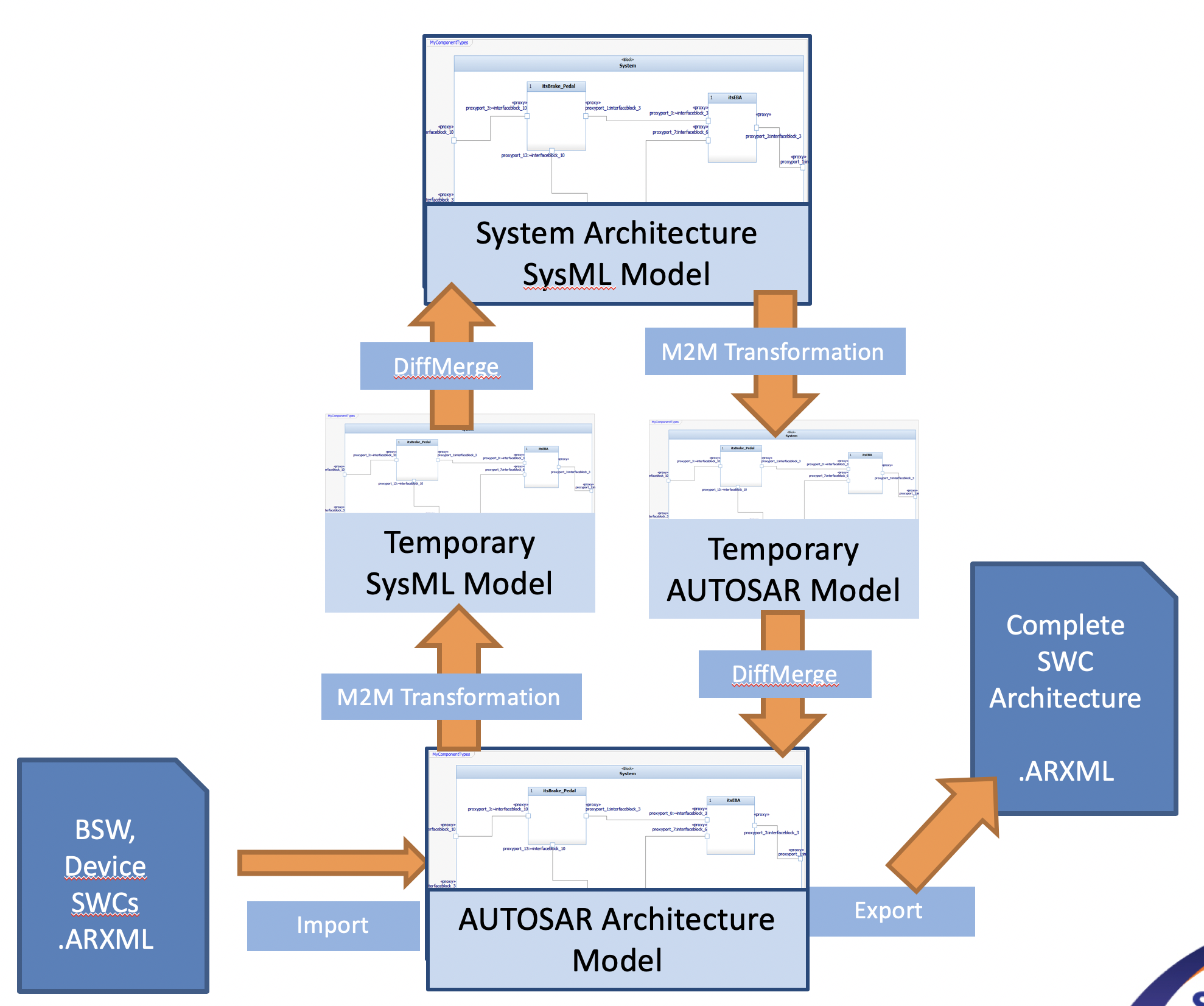
M2M is a product from SodiusWillert that helps you to save large amounts of time. It converts Rhapsody models made with certain profiles to other profiles. For example, taking a SysML model and convert that to an AUTOSAR model.

How does it work?


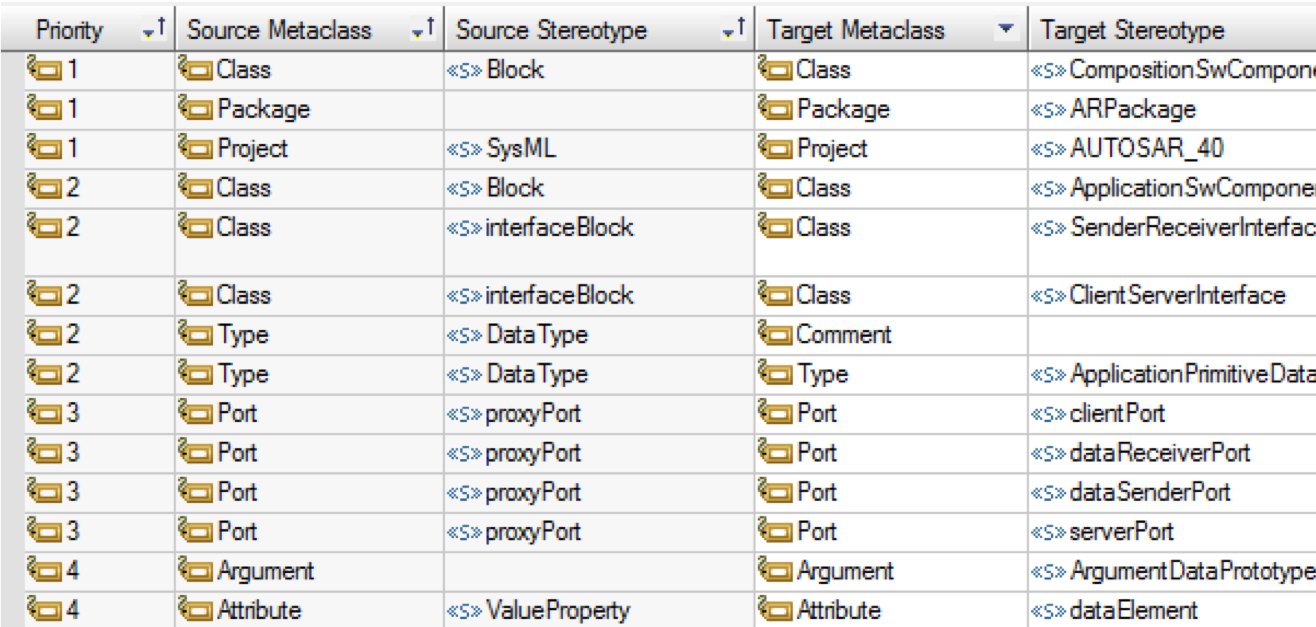
It is not really magic… actually you do your own magic. M2M uses a ruleset to define what elements are moved to which other elements, for instance: take a SysML Block and transform it to an AUTOSAR Block.
Now that would be an easy one. You can also make it more complicated. E.g.: You can define that a SysML Block with stereotype “SWC” will be converted into an AUTOSAR SWC.

That is already more interesting. But it doesn’t stop there. The rules allow you to define multiple elements to convert to one element or one element to convert to multiple elements (1:1, 1:m, n:1, m:n)
But then the fun really starts because you can also add functions (written in JavaScript) to do pre-conversion checks (“Do I want this specific element to convert?”) or post-processor actions (:e.g. “Rename this element” or “Create other elements on other places”)

You only sync once?!?

This opens a lot of possibilities to transfer model element between models from different profiles. Using M2M in combination with DiffMerge opens even more possibilities.
This helps you in keeping different models up-to-date, no matter where you make changes.
So you can have multiple different views on your System under Development, a Systems Engineering view, an AUTOSAR view, a Software View and maybe even a source-code view of the used BSW (Basic SoftWare) all of them subject to changes but all of them in sync thanks to M2M.

Put the power where you need it.

Some models have certain possibilities that others don’t have and vice-versa.
This means that you should model in the profile that offers you what you need.
SysML is perfect to model requirements and use-cases and link them, the AUTOSAR model gives you feel insights in all parts of your software and the UML model has a bit of both (and state machines…)
M2M allows you to add your own information exactly where it fits best.

I want to have this!!

That is cool. Contact me to get an evaluation version and an evaluation license.

And now for something completely different….

Prologue

Hi All! It’s been a while since I wrote. Not much travelling these days, I was in Germany in the office last week and in Stuttgart (by car) but only briefly.
Work however continues and is even more than usual.
So not much time to write BLOG entries. Soon my first vacation in 3 years (too busy building a house…) will start. I promise to write some new stuff then…

XSD

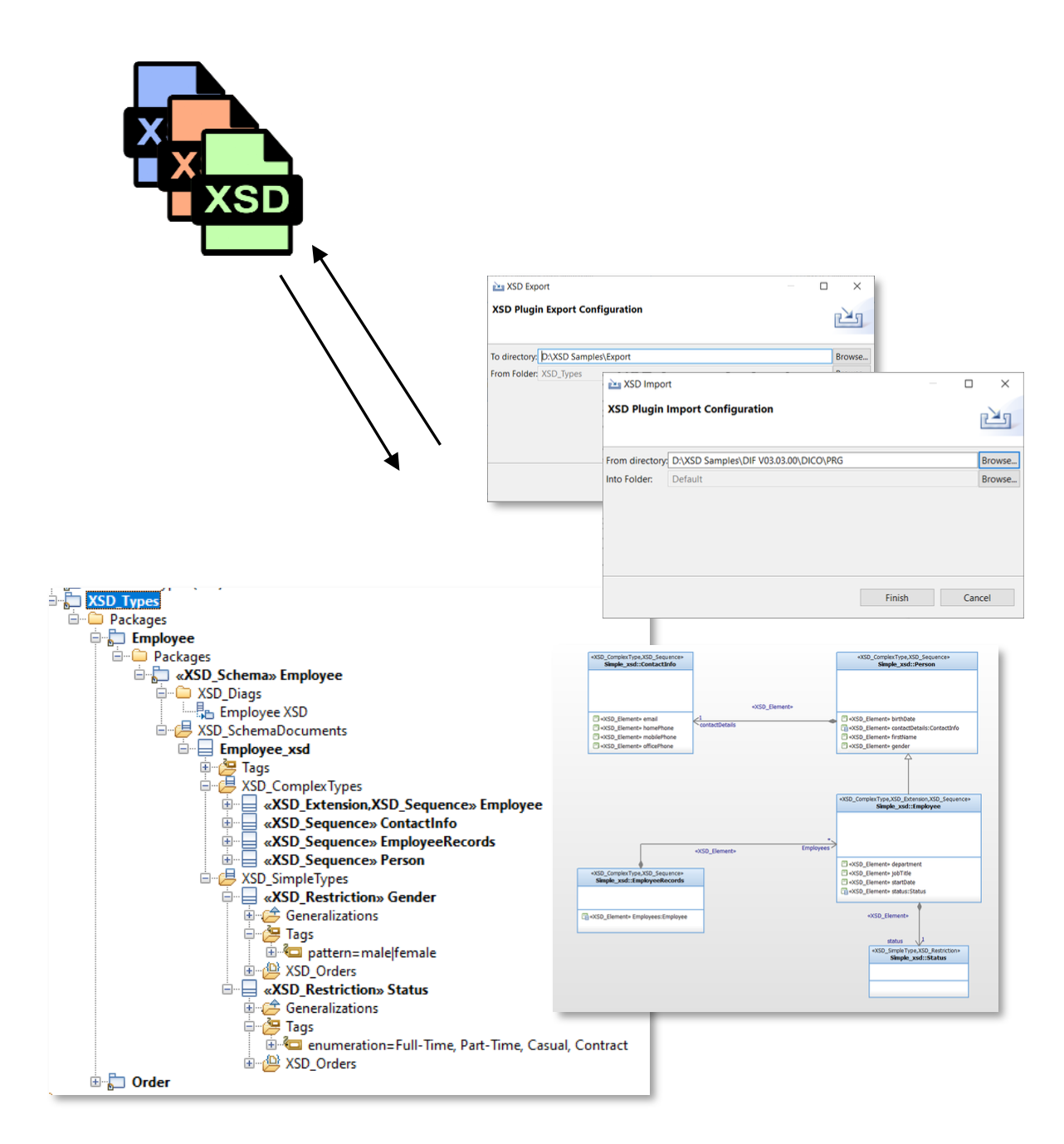
This time I want to speak about something unexpected that you can do with Rhapsody: XSD (XML Schema Definition) import/export and editing with Rhapsody.
This is an add-on Tool (of course from SodiusWillert!!) That helps you deal with the normally textual and tiresome XSD files in a nice graphical way.

I added some of the pictures and explanations from our presentation, you can download the presentation here:

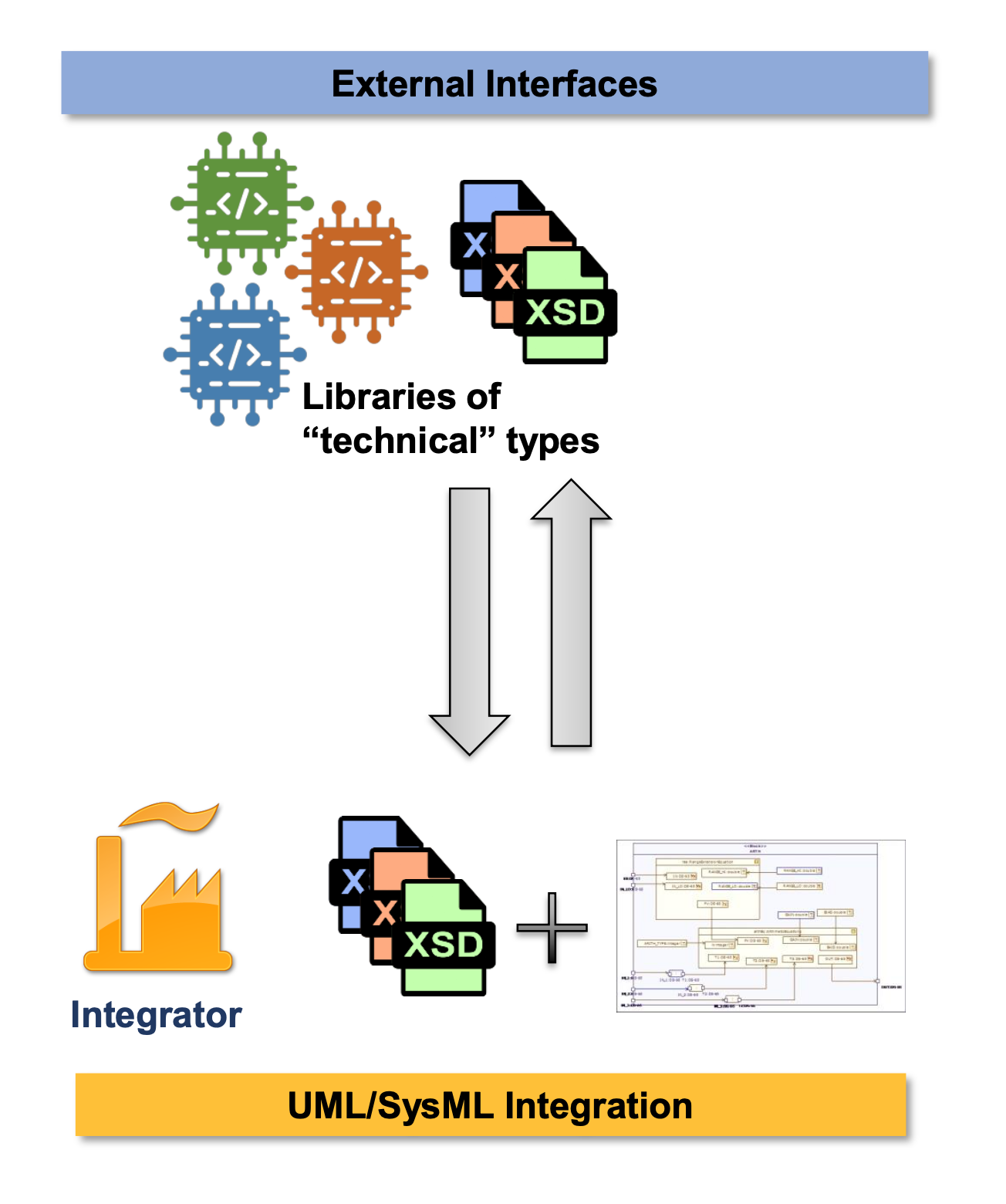
  • During design, the data exchanged throughout external interfaces of a system are described by a set of technical XSD files.
  • They have to be integrated in the UML/SysML models and types linked with the model.

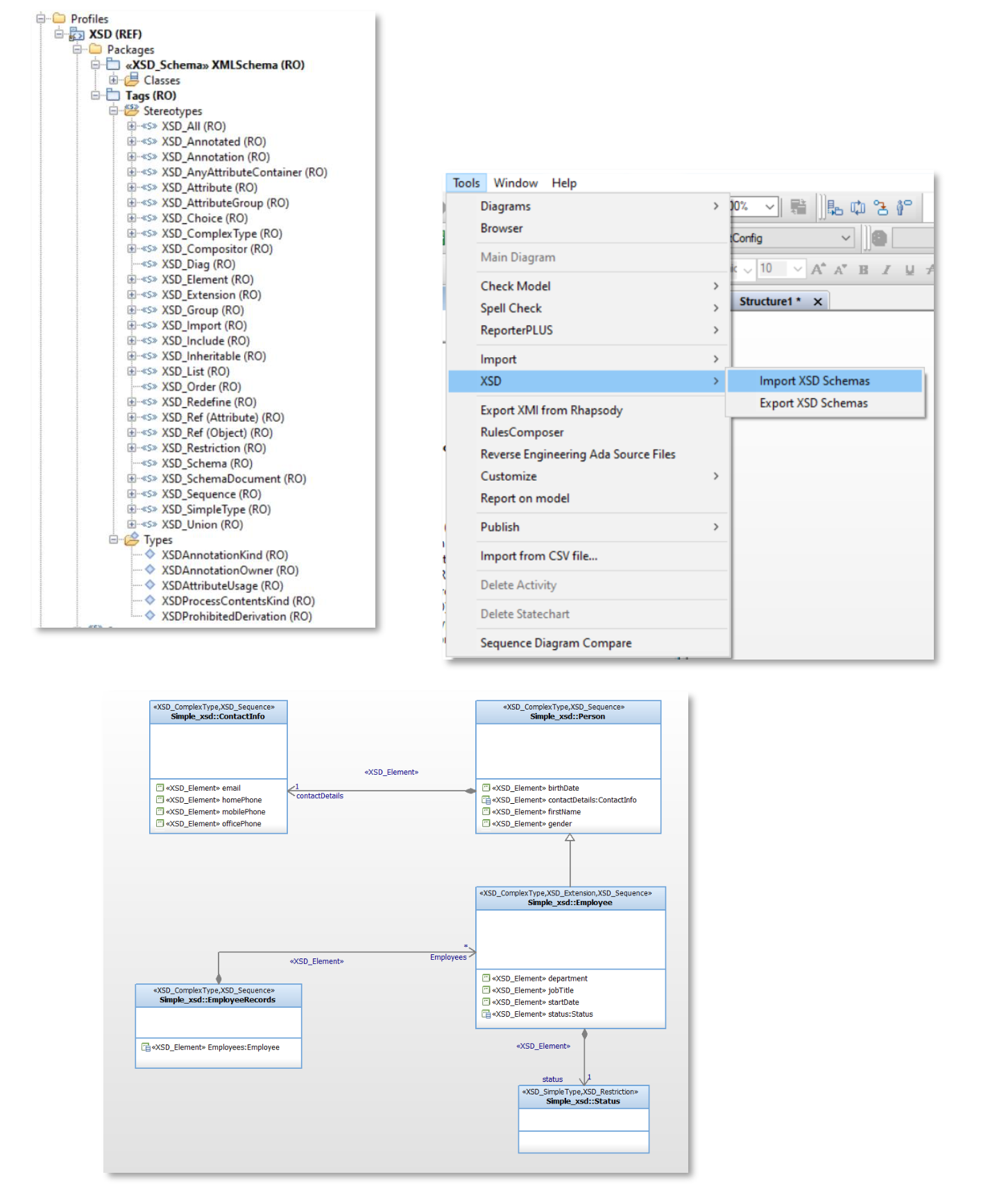
Rhapsody XSD – Key Features

  • Integrate XSD types in Rhapsody
    • Import XSD files in Rhapsody
  • Make XSD Types understandable in Rhapsody
    • Simple concepts but enough expressivity
    • Complete XSD Profile and Diagram Support
  • Use Rhapsody as an XSD editor
    • XSD Previewer
    • Export XSD Rhapsody to XSD Files

If this is interesting for you, please contact me!

Happy XSD-ing with Rhapsody!

Walter van der Heiden (wvdheiden@sodiuswillert.com)

Stay Home

Introduction

I don’t want to say much about Corona, Lockdown, Virus, COVID-19, Social Distancing and related subjects, there are enough other places where you can read enough about that topic. I was personally quite busy with all kinds of things (moving to a new house but also not traveling…) so it took me a while to get back writing.

Rhapsody 9.0

Yes!It is there! the long awaited Rhapsody 9.0. To be precise… the name is no longer “IBM Rational Rhapsody” but “IBM Engineering Systems Design Rhapsody”. Whatever….

Here is a brief summary of important changes:

  • Windows 10 AppLocker Compliance
    The “Share” folder has been split up into “UserShare” which resides in the Rhapsody data folder and “Share” which is now in the (usually read-only) Rhapsody program files folder. You will find property files like SiteC++.prp in the “UserShare” folder now, while e.g. profiles and settings delivered with Rhapsody are in the Share folder.
  • Framework Compilation
    Rhapsody standard frameworks like the „oxf” do not come as ready-to-use libraries anymore. They are built when needed or via menu entry “Code” => “Build Framework“.
  • Dropped „Save As .rpy“ Support
    Attention: this is the first Rhapsody version that does not support to save in old Rhapsody format (.rpy) anymore.
  • Support for property help that comes with profiles
    For example our latest C++ RXF uses this mechanism and makes it possible to see properties for the RXF in Rhapsody including the context sensitive help.
  • MinGW Environment Support
  • IBM Product Renaming
    In most places „old product names“ have been adapted to match the IBM Engineering Lifecycle Management family product names.
  • Under-the-Hood Improvements
    There are important improvements internally, which are not directly visible to the customer. The toolchain used for Rhapsody development has been upgraded, also libraries Rhapsody relies on are updated. This is a big step that will be the prerequisite for future Rhapsody improvements, especially regarding the user interface.
  • And of course: Bugfixes
    Several problems reported by our customers and others have been addressed in that release, for details see IBM’s fix list.

Customers using the Embedded UML Studio (and a so-called ASL-license) can use our Download Portal to access Rhapsody 9.0: x86/x64.

Customers working with the RXF can check the support announcement for the RXF with Rhapsody 9.0 to see how they can easily upgrade.

RXF for C++ 7.11

And that’s not it…

We have just released the new version 7.11 of the Real-time eXecution Framework (RXF) for efficient UML code generation.
Those are the most important news:

  • Dynamic Memory Usage for Events
    The RXF usually works with statically pre-allocated memory blocks for optimal and deterministic memory management of UML events (asynchronous messages). With the new version it is also possible to explicitly allow the usage of dynamic memory allocation from the heap, if matching  static memory pools are not available or full. By default, it still uses statically allocated memory pools.
     
  • RXF Property Perspective and RXF Property Help in Rhapsody
    When using the RXF stereotype, you automatically get a „Willert RXF“ property perspective to see all relevant properties for framework configuration in a well organized way. You can select it instead of „All“/„Overridden“/etc. in the properties tab drop down list. Actually this came with an earlier version already, but since Rhapsody 9.0 and with the latest RXF release it is even more useful, as you can see the property description now right inside Rhapsody just like for any standard Rhapsody property (see screenshot above).
     
  • ActiveClassTable
    It is now easier to keep an overview of all the threads (active classes) configured in your model:
     
  • No Setup required, Relative Paths used
    There is no need to install a framework to a specific absolute directory anymore. You may move the RXF folder to another location. As long as the RXF profile is referenced correctly from your UML model, all tool paths will work. This also allows easier configuration management and maintenance of future project specific RXF updates using externals on your SCM. For details read the HTML documentation under Technology => Configuration-Management.
     
  • MISRA Improvements and a Bugfix
    Most MISRA improvements have already found it’s way into earlier RXF releases, but still some minors could be improved. And a bug was fixed where timeout handling could be unprotected when using critical sections instead of mutexes.

Our C++ RXF is generic, it means you do not need to select a specific environment when you download it, but it contains components for different RTOSes, targets etc, so you can
make the selection when you deploy your model into an IDE. Here is a list of what is contained:


RTOS

  • CMSIS (based on Keil-RTX)
  • CMSIS2
  • FreeRTOS
  • embOS
  • Linux
  • OORTX (our non-preemptive, highly efficient runtime system)
  • COORTX (non-preemptive, called periodically by your legacy software)
  • QNXNeutrino
  • ucOSII
  • Windows


Target Hardware

  • Any ARM Cortex via CMSIS layer
  • AURIX TriCore (HighTec)
  • Any target abstraction supported by an RTOS listed above
  • PC (Windows, Linux)

Compiler

There are no compiler dependencies. Any C++98 (ISO/IEC 14882:1998) compatible compiler shall work. On our continuous integration build server the following compilers are always tested:

  • Keil ARM V5
  • Keil ARM V6
  • Linux gcc
  • ARM Cross-gcc
  • Visual Studio 2017

IDE (Deployer Exporters)

  • Keil μVision 5
  • IAR Embedded Workbench 8
  • Green Hills Multi
  • Microsoft Visual Studio 2015/2017/2019
  • Directory Exporter, covering Eclipse based IDEs and makefile centric builds like:
  • TI’s Code Composer Studio
  • NXP’s CodeWarrior
  • Tasking VX
  • gnu make
  • CMAKE
  • SCons

Do you need something else to support your environment? Just contact us and we can give details about how it can be supported.

RXF V6 Patch for Rhapsody 9.0 Compatibility Available

Also customers of the RXF V6 can use it with Rhapsody 9.0, please read our support announcement for the RXF with Rhapsody 9.0.

Exciting News for our RXF C Customers

We expect to release a version 7 for the C language in the next months with huge improvements. It will also be generic (no dedicated release for each tool and target combination required anymore), will not require a Setup and will have a completely new and optimized approach for ports and interfaces code generation in C! We will keep you up to date.

That’s it! Happy modeling with Rhapsody!

Walter van der Heiden ( wvdheiden@sodiuswillert.com )

Absolutely Relative in Bordeaux

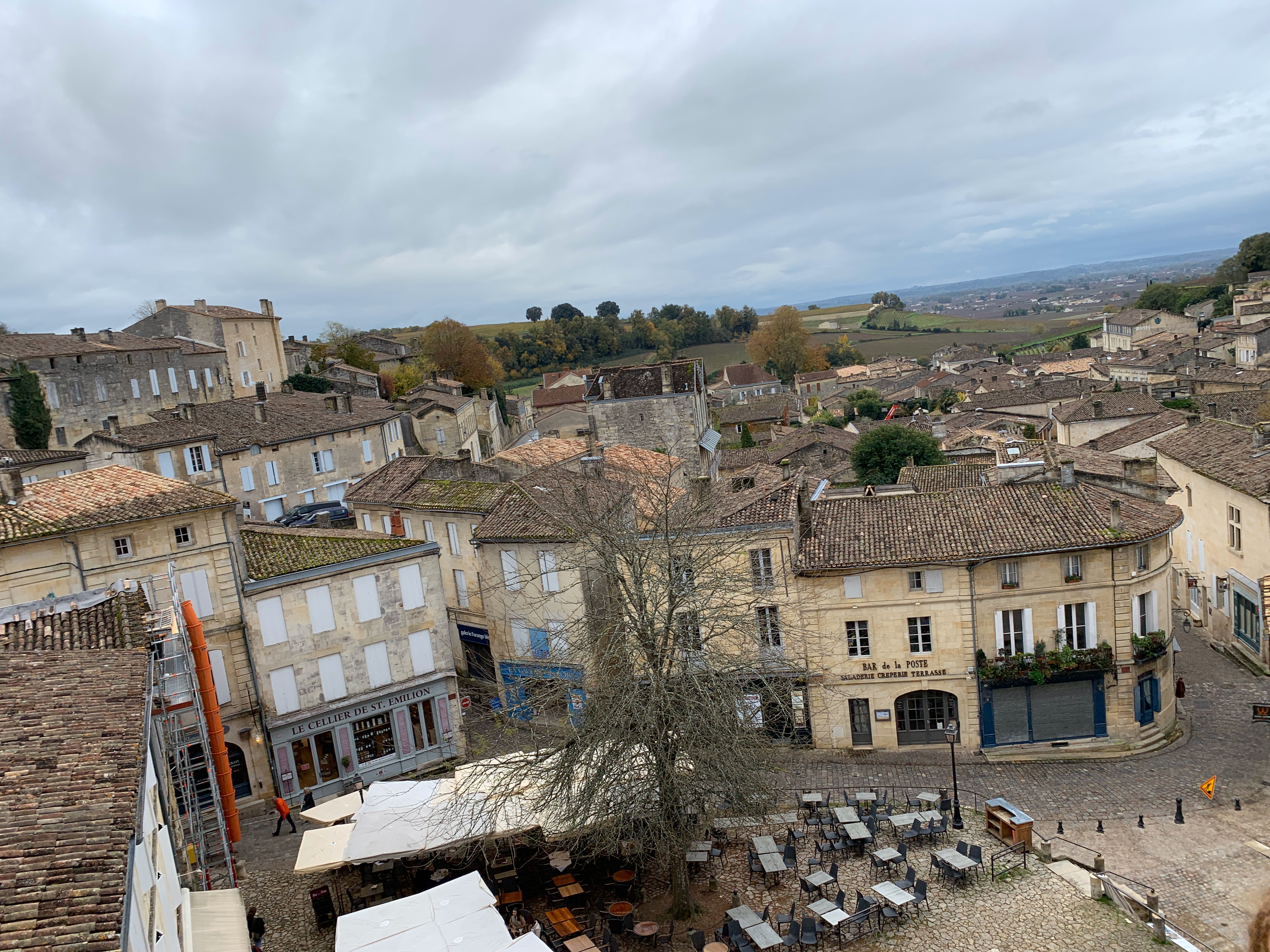
Bordeaux

This time not Nantes… but Bordeaux. OK, first Nantes, there was some work to be done, but after that there was room for some personal time-off.
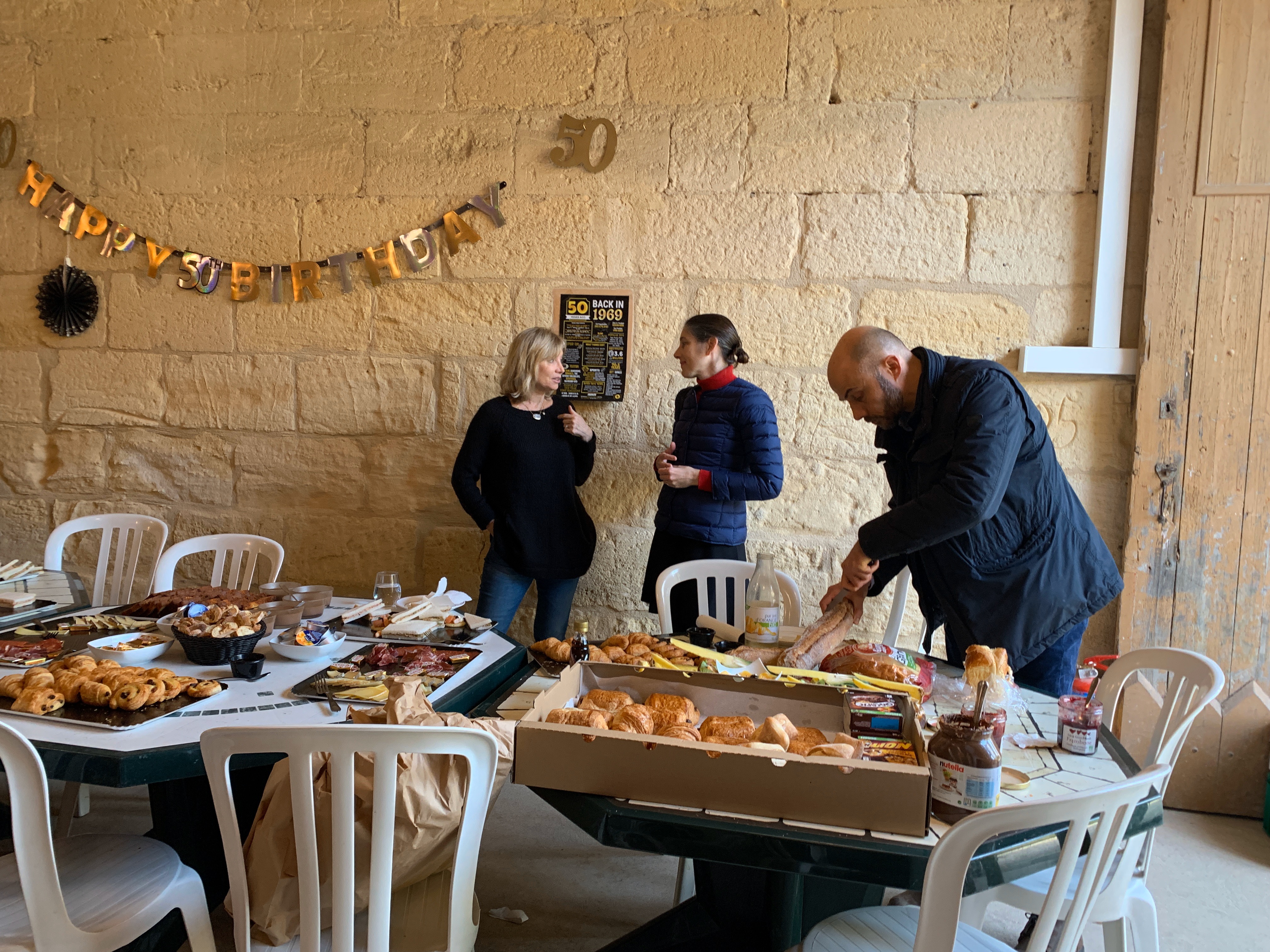
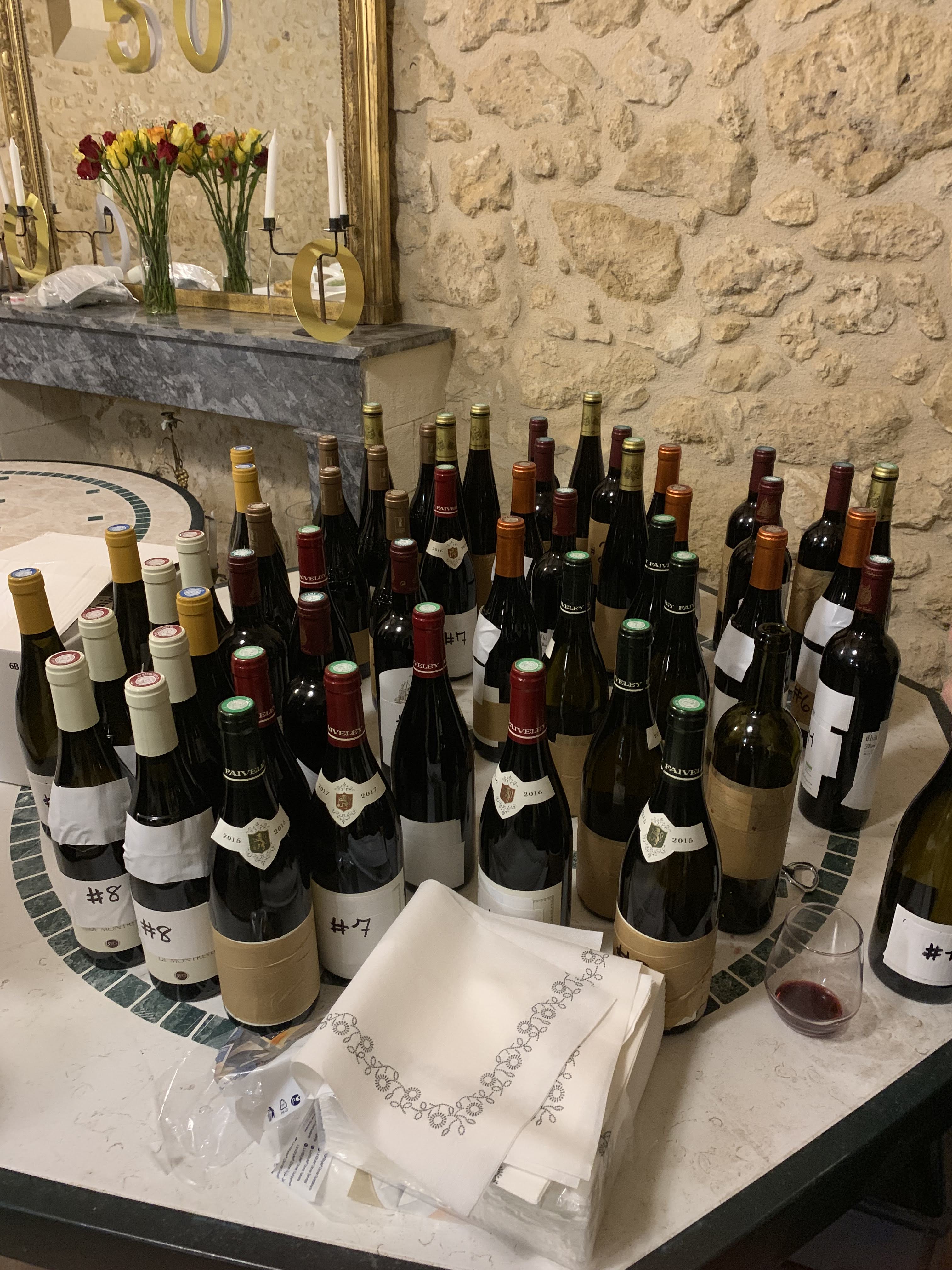
A friends 50th birthday was there and had to be celebrated big time.

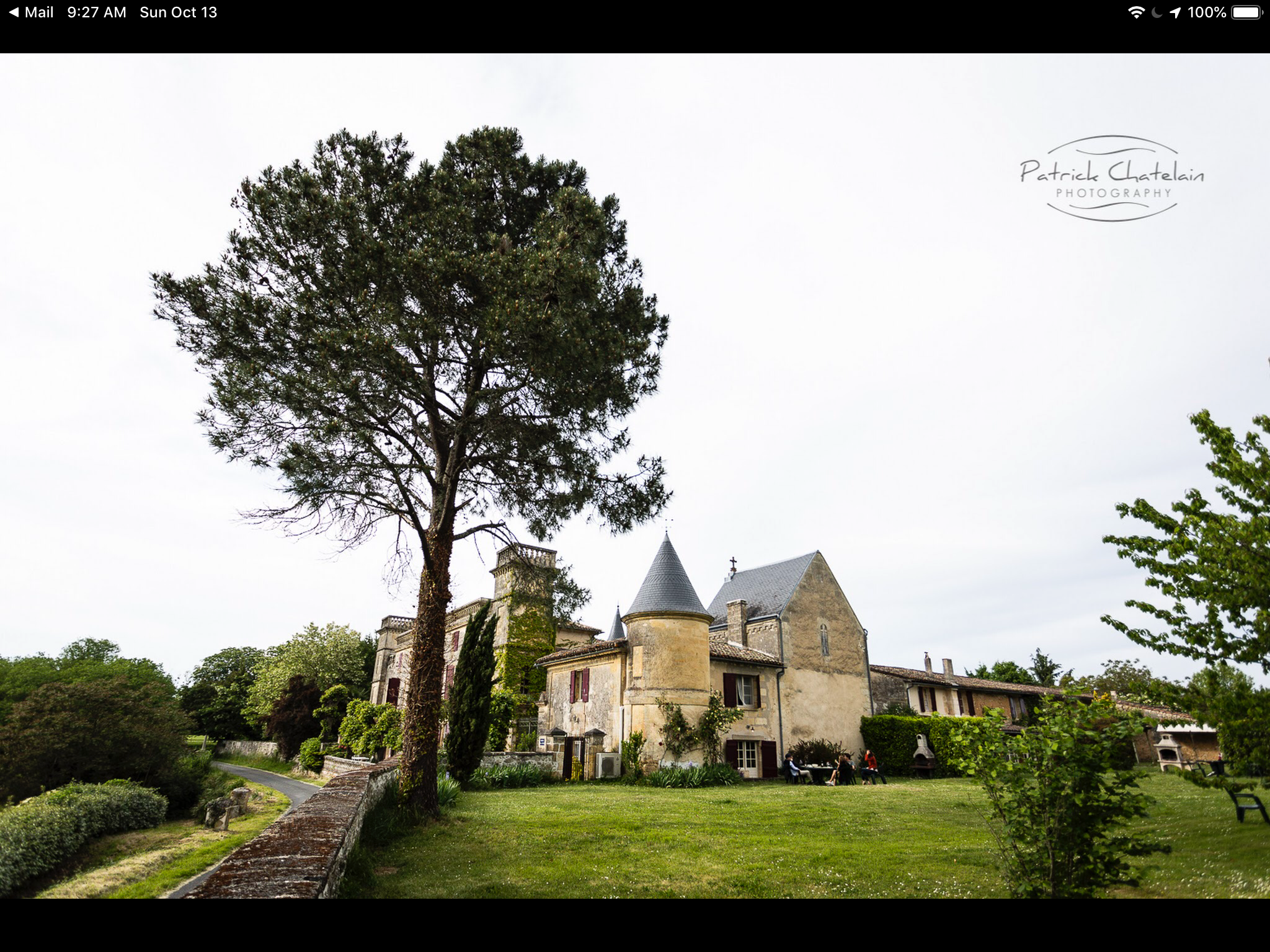
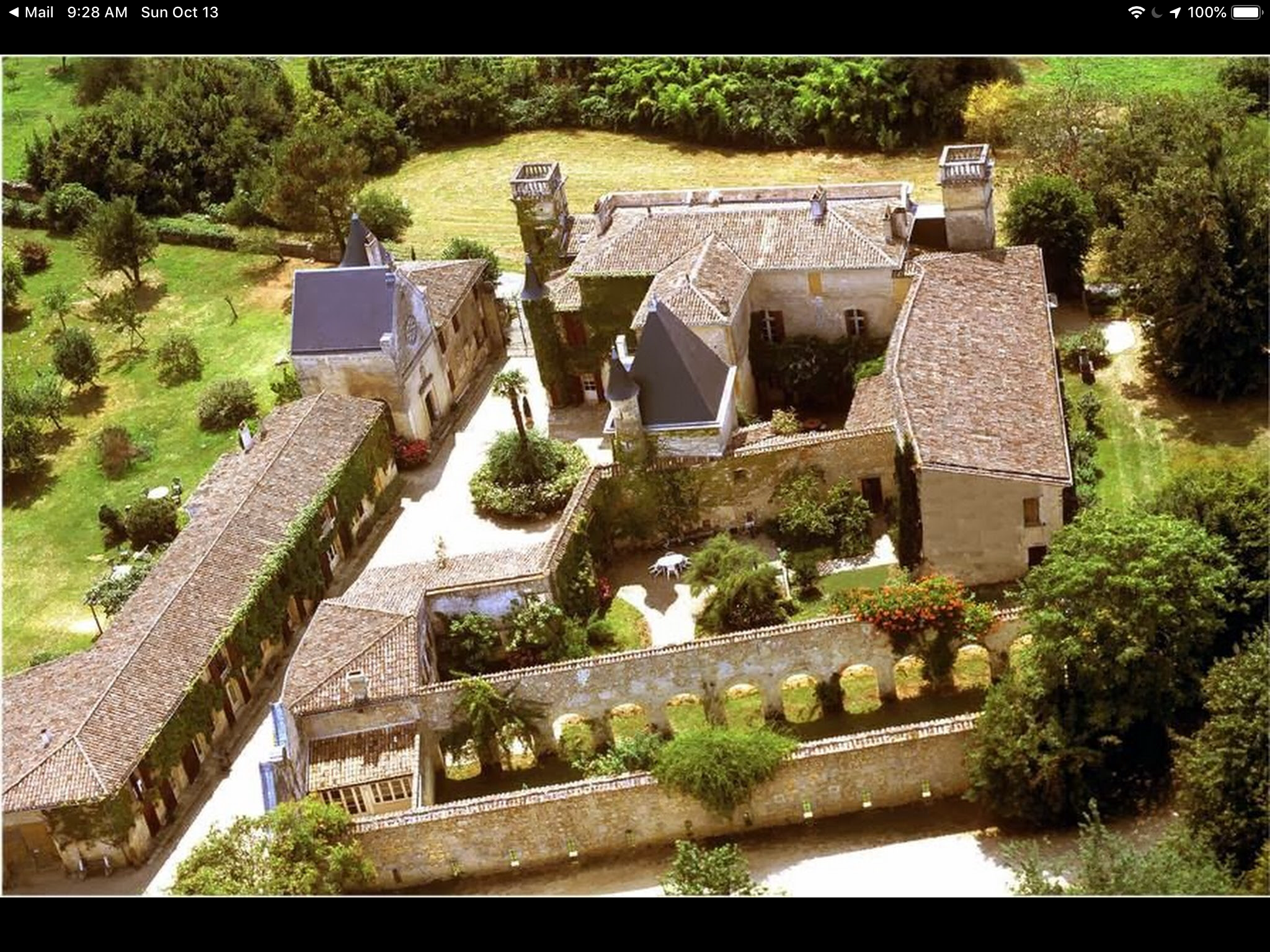
His wife rented an old castle (France has about a million of these) where the celebration would take place. We celebrated heavily… drank a lot of wine.
We also visited a Safran Farm, of course, a vineyard and an old village with a magnificent church (No photo’s allowed, sorry.)

Absolute and relative paths.

Unfortunately the default in Rhapsody is to use absolute paths. And it will use absolute when in doubt.

There are 3 properties that control the switch from Absolute to Relative:

1. General::Model::PathInProjectList, this is the path that models have in a project list (“Workspace”

2. General::Model::ReferenceUnitPath, this is the path where units are stored. When this is relative paths are stored relative to the model directory.

3. C_ReverseEngineering::Main::useCodeCentricAbsolutePath, is a new property to indicate if reverse engineered sources are stored absolute or relative

Use Rhapsody Workspace

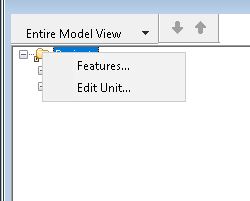
A bit hidden is the posibility to use multiple projects inside one open Rhapsody. It is in the menu under “File”, there is “Insert Project >” and then “New…” or “Existing…”. Selecting a Rhapsody project will shift both the open project and the newly opened project under a “Projects” folder.
One of the projects (The last opened) is writable (or “active”), indicated by the BOLD name and all others are read-only, indicated by the (RO) behind the name.
You can right-click the project and select “Set as Active Project” to switch to another project.

Copy Paste

It is now possible to copy or link elements from one project in another project. Beware: You can only copy units (Rhapsody elements that are save in their own file, indicated by the small decorator icon in the left lower corner, grey or red)
Just drag and drop will create a reference, indicated with a (REF) behind the name, holding CTRL during the drag and drop will create a real copy.

Absolute vs Relative

This is where property “1” comes into play. This defines how the paths are stored when you have multiple models in one workspace. When you leave Rhapsody with a workspace open, Rhapsody will ask you if the project-list must be saved.
It will save a file in the directory of the first project. The paths to each one of
the projects will be stored according to the setting of the property “1” in that project.
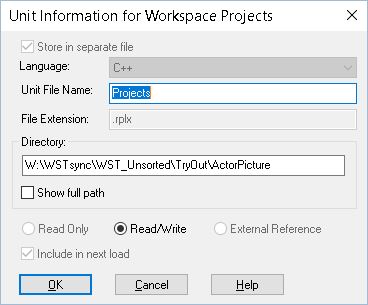
You can edit the project file by hand, you can even move the project file (Take care that you keep the project paths correctly!) but there is a nicer way to do this: just right-click on the Folder “Projects” then select “Edit Unit”. There you can edit the name of the file and the location. You should then figure out how you want to store the paths to the model. My Tip: only use absolute if you are absolutely sure that the paths will be the same on all computers of all people involved in the project. Otherwise: use relative!

Unit

A unit is, as mentioned, a Rhapsody model element that is stored in a separate file. My advice is to keep the default settings (That are good, for a change…) and only take packages, components and the project file as a unit ( project.rpy(x), component.cmp(x) and package.sbs(x), the last two are stored in the project_rpy directory )
Property “2” defines how these paths are stored, here also use relative unless you are absolutely sure you can use absolute.

Conclusion

Bordeaux is fantastic, we had a great weekend and we will definitely return there someday.
Use relative unless absolute will work for you, make sure you have the same setting in all projects!
Using multiple projects in a workspace is perfect if you have divided your model in separate parts that are included in each other.

Remember: Everything is relative, absolutely!

Keep modeling with Rhapsody! wvdheiden@sodiuswillert.com

Walter.

Model Transformation

Introduction

What?!? No travel? Well… yes. too much travel. Hence the low posting frequency. Apart from moving with my family from our old house (that was sold and where we had to leave in 3 weeks) to a temporary vacation home that is not even large enough to house the family of 4 (well, 5 with the dog) let alone has enough place for all our stuff.
So most of it is stored at the moving company and will be brought to our new home when it’s finished (Planning date is December 13. But we all know what planning dates mean, do we….)

Luckily there was (and will be) much traveling in the last weeks and the coming months. I already visited Munich, for our MESCONF, Paris (just for flying to Schiphol), Bückeburg (For work, and we are also moving there), Köln (Cologne) and Zürich.

In the next weeks I’ll be traveling to Bückeburg (Office), Paris, Nantes, Berlin, Possibly Detroit, Ft Myers, Boston, Sindelfingen (ESE), Munich and more.

Transforming your Models

But that is not what I wanted to talk about. There is a more technical topic that needs attention.
Everybody knows (or should know) that we are no longer Willert but SodiusWillert and that we are awesome in connecting engineering data in the widest form possible.
Connecting Jira to IBM via OSLC, connecting the world of ALM to PLM by linking PTC Windchill to IBM with OSLC but also transforming your UML (or even SysML) model to code in C or C++.
One of the questions we receive is that to connect, sync or convert models into other models.

AUTOSAR

One of the models a lot of our customers use is AUTOSAR. That is a standard used in Automotive and contains a standard data format for exchanging information between tools. It is called ARXML (AUTOSAR XML) and is very complex. With ARXML you can exchange very detailed information about the software you make for car ECU’s. You have to use it if you want to create a run-time system for your ECU (RTE – Run-Time Environment) but also to use the Basic Software for your ECU.
But AUTOSAR also defines a model structure that can be used to define your ECU Architecture. Rhapsody can do that, you just load the AUTOSAR profile and you can model AUTOSAR. (Made by SodiusWillert)

Now this modeling structure has some similarities with SysML (Also uses Blocks and Ports etc) but that is, unfortunately, not really the same. AUTOSAR was, at the start, set up to improve cooperation between different automotive companies but somehow this path was left some time ago. IMHO opinion it is needlessly complex and tries to cover all possible ways to do something instead of limiting the users to the bare necessities and introduce an abstraction that would make life easier.
This is where the problems start when you want to use SysML to do architecture modeling, there is no defined path from SysML to AUTOSAR.

Different soup: M2M

That’s how this is called in German: everybody is boiling their own soup. That leads to the fact that there is no single correct solution but a tailor-made solution for every user.
That is where the SodiusWillert M2M comes in. Louis Talvande from SodiusWillert designed this tool to do a model transformation based on rules that the user can define himself.
These rules are part of your Rhapsody model so you can easily select your model elements.

Example of Transformation Rules

When started M2M will transform your current model to another model using the rules you have defined.

More than just transformation

Sometimes (or actually mostly….) just mapping one element to another just isn’t enough. That’s why M2M allows you to not only map single elements to multiple elements but also 1:n or n:1 or n:n.
You can also define conditions in your mapping rules that can decide if a transformation should be made.
And if that is not enough, you can also define scripts (Javascript) comfortably inside your Rhapsody model, to post-process your elements. The complete Rhapsody Java API is to your disposal there.

Merging

Of course, transforming a model is cool. But what if you make changes to the original model? Of course you can always throw away your target model and transform again but what if you also have made changes to the target model?
Rhapsody comes with DiffMerge built-in. Since you are using all standard Rhapsody elements Diffmerge works out-of-the-box.

Features of the M2M Tool

  • Transforms Rhapsody models into Rhapsody models
  • Flexible (user modifiable) transformation rules
  • Transformation can be launched via commandline
  • Portable mapping rules, so you can upgrade from e.g AUTOSAR 4.22 to AUTOSAR 4.31
  • Merging capability with DiffMerge
  • 1:1, 1:n, n:1 and n:n mappings
  • post-processing very easily possible
    • conditional mapping
    • creating new elements using the JAVA API

Just contact me or Louis if you want to learn more about M2M

Well… that’s it for today! Have fun transforming with Rhapsody

Walter van der Heiden ( wvdheiden@willert.de )
Louis Talvande ( ltalvande@sodius.com )

Check, check, modelcheck….

Introduction

Lots of times I get questions about model checks in Rhapsody. First of all if Rhapsody does model checks, the short answer here is: yes.
The longer answer is that Rhapsody does not check much, just if there are no errors in the model that prevent code generation.
You can start model check by hand (Menu: “Tools”, “Check Model”, “<<Configuration Name>>”. This will start a better Model Checker.
Does that check your complete model? Short answer: Yes. Long answer: Not exactly….
It does some checks like if you have added a description to your model elements and if you have changed the default names (Class_01, etc) But nothing more.
If you want more thorough checks you have to provide them yourself. This is not as bad as it sounds, the UML is a language, it is very difficult to check if somebody is using it in the wrong way.
If you want to check something you first have to define your model guide lines. How do you want to model. Then you can define how you want to check that.

Java API

Rhapsody has a Java API that allows you to (almost) completely control Rhapsody from extern.
You can use that to check the model, convert model elements, generate code and much more.
For check model you need to extend the model check interface and implement checks. Via the API you can walk through the model selecting elements based on type/name/position in the Browser Tree. You can access all information from the model and even change it when you like.
Same thing for Code Generation, you can, of course, walk the model and generate your own code but you can also instruct Rhapsody to call your Java functions when Rhapsody is ready generating code. We call that the Simplifier, Rhapsody will first take your model and generate a simplified model You can make that visible by setting: CPP_CG::Configuration::ShowCgSimplifiedModelPackage to TRUE.

Oh no… not Eclipse….

Yes… this works with Eclipse. Eclipse and I have a difficult relationship… We don’t like each other. It is getting better last years… but still not as easy as other IDEs.
You just create an Eclipse Java Project and you go to the properties of your project. Open the Java Build Path tab, then in Libraries open “Add External JARs”, now select the Rhapsody.jar file in “Share/JavaApi” . That’s all… should work now.

The Check

First Create a project (e.g. CustomChecksHelper). You can then create a class (e.g. CheckPlugin) that needs an entry point function:
RhpPluginInit (IRPApplication rpApp)
that will be called by Rhapsody. You can then instantiate all checks that you have made, all the classes that do checks have to extend RPExternalCheck and have to override the
check( IRPModelElement elem, IRPCollection failElem)
function.

Helper

Rhapsody uses “Helper” files to pre-load plugins. That makes them faster and immediately available. Therefor create a file under Share\Helpers with .hep as extension. The syntax of that file is quite cryptic, I always have to try 3 times before it works… Beware if you already have helpers then the numbers change.

[Helpers]
numberOfElements=1
name1=Checks_Plugin
isPlugin1=1
RhpVersion1=8.4
JavaMainClass1=com.telelogic.helpers.CheckPlugin
JavaClassPath1=$(OMROOT)\Helpers\CustomChecksHelper.jar

OK. That’s it! Have fun checking with Rhapsody!

Walter van der Heiden ( wvdheiden@willert.de )

« Older posts

© 2026 Rhapsody TechBlog

Theme by Anders NorenUp ↑