BLOG about IBM Rhapsody. Contains technical information as well as more private travel stories.

Tag: Code Generation (Page 3 of 4)

Your flight is delayed….. No

Story of my life…

People who fly often, like I do, know that there is always a big risk that something is happening. Either on your airport, or on the airport where your plane came from or the airport where your plane is heading to. Also the plane is a mechanical and electronic device with software in it. I repeat…. with software in it.

There is a lot that can go wrong there and, experience shows, that will go wrong. A lot is mostly safety stuff, flying would be possible but safety precautions prevent that. And that is a good thing. Flying is safe because we care a lot about safety.

That all is apart from other annoyances. Expensive mediocre food, people who think they are alone in the airplane and many more. But in spite of all that…I still love flying.

This BLOG is about Rhapsody isn’t it?

Yes, yes, it is. I mix stories about my life that mostly consists of traveling the world to spread the word about Rhapsody and some technical stories about Rhapsody itself.

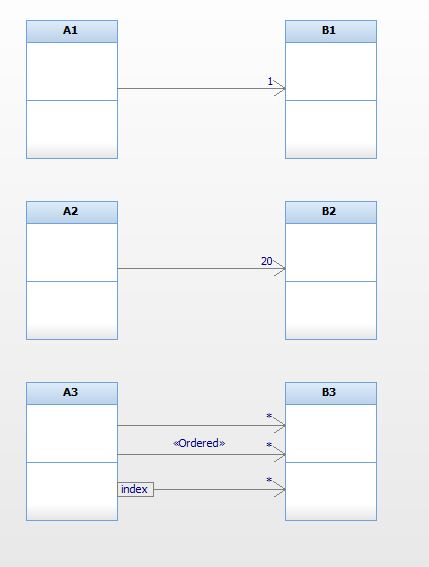
Today we had a discussion with my colleagues from development about Container Classes in Rhapsody. Container classes are Classes that have a 1:* relationship with another class. (See picture) So Class ProductDatabase has a 1:* relation with the Class Product. What does that mean? And especially for the Code Generation in Rhapsody. That depends on the language you are using in Rhapsody.

OK. in ‘C’ first.

relationsDiagram.JPG

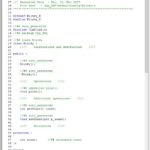
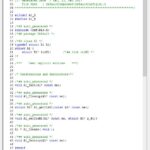
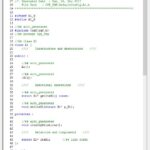
In ‘C’ the 1:1 association or aggregation between A and B mean that you have a pointer to B in your A class (struct) A composition will have a complete struct B inside A.  The “*” relation will generate a RiCCollection B. What is a RiCCollection? This is basically an Array where items of “B” can be stored. You don’t know where the items are stored so when you are searching through your collection you will have to look in every item in the collections and compare to see if you found the right one. (On average you have to search half of the array) When that is no problem you can use this. There is a property you can set “Ordered” that will create a linked list instead of just an array (a RiCList). That means you still have to search through half the list (on average) to find a specific item but you can order the items to find them quicker. Here is the code belonging to the 3 relations in C and in C++:

The “qualify” field will allow you to select one of “B”‘s attributes as a key. (It creates a RiCMap). The items are stored in a balanced binary tree, storing takes a while since the tree might have to be re-balanced again, but searching is way faster, on average 2log(n) (For searching 1024 items you need to compare a maximum of 10 times)
You can also just use multiplicity to do this, just create a 1:10 relation and you will have a static array of 10 “B”‘s that you can use in the same way.These constructs do not only are generated inside the structure that represents your class, there are also functions generated (Yes also in case of the static array!) to add items, to delete items, to delete the complete structure and depending on the kind of container some search functions.

What about ‘C++’?

C++ does not know Container Classes by itself but the Standard Template Library does. Since not all compilers support the STL, there are also non-STL container classes.

The property:

CPP_CG::Configuration::Containerset

can be set to:

  • OMContainers, OMContainer, OMList and OMMap
  • STLContainers, vector, list and map
  • OMUContainers, OMUContainer, OMUList and OMUMap

As you can see there are even Templateless versions for the poor amongst us that use a compiler that does not support templates. The STL versions use list, vector and map from the STL. The same functions are available, in ‘C++’ they are all inherited from the container type. Something to keep in mind is that searching the structure will have a different way if using iterators.

Now where’s the drawback?

There is no real drawback here, the only thing is that this will use memory. But there are enough properties to limit that to just the amount you need. The routines are consuming some of your ROM as well of course. But they make your life easier. A lot easier. But check your map file to see what is used there. TODO- pictures from the advanced trainings, list of the functions in C and the different iterators in C++.

The model I used to make the pictures is here: ContainerClasses

OK, that’s it for today!

Happy Holidays! And have fun modeling with Rhapsody!

Walter van der Heiden (wvdheiden@willert.de)

Divide and Conquer

Introduction

As I always tell the people who attend my UML Trainings: without using Classes and Objects to split up the work your application must do, it is impossible to handle todays complexity.

Programming used to be easy, in the early days of computers and the early days of embedded. The first boards had small controllers on them that had a few kilobytes of ROM memory and a few bytes of RAM.

Getting these to work from scratch involved a day of reading some stuff and applying power to the board, then your first blinking LED was reality. (and how cool it was..)

Later using 16-bit controllers, still with Kilobytes but now more than a few,  but using ‘C’ instead of Assembler, this was already complex. Could take a few days to get the first stuff running. (Not to forget that you had to learn ‘C’ as well…

With UML the initial effort increases again, you have to learn UML, ‘C’ (or ‘C++’ ) and you have to install a lot more stuff. But this is also doable and after the initial effort you’ll notice that things go faster.

The complexity, however, is still increasing and the only way to master it will be to re-use existing stuff. This is only possible if we have “designed for re-use”.


Modeling or Programming?

That is the question. The difference is not clear to people who use Rhapsody for the first time, it is, however, crucial for the way you use your models and how you do the implementation. So just breaking up in multiple Classes and Objects is no longer sufficient, you need to be able to divide your models in “Components” that can be re-used without having to look deeply into them to understand what they do.

Rhapsody supports a couple of ways to do that in your model. You can use (parts of) other models. In the menu you have “File”, “Add to Model”.

Then a menu pops up that lets you select a Rhapsody model (Or a file in a model, i.e. a Unit like a Package or a Component) You can also select “As unit (with a “copy” tick) or as reference.

  • As Reference, links the selected model element in the open model as a read-only reference. (Same GUIDs) You cannot edit the element in your Rhapsody model, you have to open the original model for that.
  • As Unit, links the selected model element in the open model as a writable reference. (Same GUIDs) You can edit the element in your Rhapsody model and it will then change the original model as well.
  • As Unit (with copy) copies the selected model element in the open model. (New GUIDs) You can change the element in your Rhapsody model but the original element will be left untouched.

GUIDs are the generated 128-bit ID’s that Rhapsody assigns to every Model element. Rhapsody uses the GUID to recognize model elements (It does NOT use the name for that!) So copying renews the GUIDs so there will be no name clashes with existing model elements.

Now try to model as independent as possible by using only unidirectional relations, eventually ports and interfaces. Use private attributes and operations when possible, at least describe the public interface as good as possible so re-use is easier while the re-user does not have to study the inside of your model.


Attention points.

  • Paths. If you use referenced model elements, be sure that they are in the right path on all computers of all project members… Otherwise check-in  and -out will be a torture. You have to manually adapt the paths in your model. It helps to use relative paths in your model

    General::Model::ReferenceUnitPath
    General::Model::PathInProjectList
    can be helpful there. You might also use an Environment variable to point to your working directory and sync that with your colleagues. (Like the OMROOT variable that Rhapsody uses to make it independent where your Rhapsody Share directory is)

  • Config Management. If you check in and out models and parts of models, it is easy to fetch a wrong version of a referenced model. Think about your CM structure!
  • Names. Don’t use default names like “default” for the package, etc. Use meaningful names that can be used in their projects without causing collisions.
  • Documentation. Is even more important when your model is re-used inside other models.

Tips and Tricks

  • As long as you make changes in your model _and_ in the referenced model, load both models in a project (Using “File”, “Insert Project”. You have to switch the active project to make changes but it will reduce time. Rhapsody saves the Workspace separately! (You can even edit it if you make changes to your paths)
  • Using Ports and Interfaces greatly improve the way you can use models in models.
  • There are more ways to create Interfaces, see my Techletter about using Interfaces.


Dividing up your models.

If you have made a model that represents the hardware you use in multiple projects, you can easily use that model in all projects that use the same hardware. The nice thing is that if you have your version system right (perhaps even with a check in the model..) and really defined your interfaces, then you can use different versions of the hardware without really worrying about you model.
Another advantage is that referenced model load faster.


That’s it! Happy modeling with Rhapsody!

Walter van der Heiden (wvdheiden@willert.de)

Liechtenstein – Small is beautiful

Liechtenstein

This week is another traveling week. From home via the office to Liechtenstein, 940 kilometers in one day. Follow the star….
It’s training week, again a couple of developers that want to learn how to model in Rhapsody.
People ask me sometimes, “Don’t you find that boring, telling the same story over and over?” But then I always answer: “Yes, that is boring. But to make it bearable I always tell it to different people!”
No it’s not boring, I like trainings, always. It is nice to help developers learn to model.

Liechtenstein is very nice, beautiful country, squeezed in between Switzerland and Austria. Mountains on one side, the Rhine on the other side.
The country is 160 km² large which is slightly larger than the city I live in… 36000 inhabitants. And rich…. very rich…. Many people have bank accounts here to avoid paying tax in other countries. That is their main income it seems.

So what can you do in Rhapsody to make your code smaller? I assume you are using an RXF from Wilert, otherwise the first you can do is ditch the OXF (or whatever you are using) and start using the RXF from Willert which is much smaller and much faster than other frameworks. The Frameworks with OO-RTX as RTOS are the smallest, they do not have preemptive scheduling but if you don’t need that, this is the RXF to go with.

We don’t do destructor…

An embedded system just works until switched off. And we do not have to care about freeing memory or cleaning up structures. So we can use the properties to prevent Rhapsody from generating them. These properties control that:

CG::Class::GenerateImplicitConstructors
C_CG::Class::GenerateDestructor
C_CG::Class::EnableDynamicAllocation

HighWaterMarks

The RXF knows highwatermarks, they indicate how many memory blocks you have maximally used at the same time. The same for events and timers.
A good way to estimate the optimal use of your static memory is to use the compilers “mapfile” to determine the size of all structures you are dynamically (or semi-dynamically) allocating. Then optimize your memory structures by making your tiny, small, medium, large or huge blocks exactly as large as the structures you use.
Then determine the maximum number of blocks you need from every size. If you do not need 5 different sizes: make the block count 0, then the structures will disappear completely. The same for timers, if you do not use the “tm(xxx) statement in your state-machines, set the TIMERS to 0.

State-machine

Rhapsody uses an int for the state-variable. If you use less than 255 states in a state-machine you can easily use an unsigned character for that. This is the property:

CG::Class::Statechart::FlatStateType


Inline

Create inline functions for operations that are not or hardly used. The RXF knows the inline keyword that you can replace with the compilers inline keyword. On some controllers a function call is much more “expensive” than replacing that with the original statement from the called function!

C_CG::Class::IsCompletedOperation
C_CG::Class::IsInOperation

Compiler

Most compilers have excellent optimizations. Switch them on, try all settings and make an overview (Use Excel!) of all the effect you can measure, (Size, speed)

MISRA

Introduction

MISRA -Motor Industry Software Reliability Association. This is a committee that defines rules that ‘C’ (or ‘C++’) programmers need to follow to increase the safety and reliability of their code.
A customer asked me about Rhapsody and MISRA compliance, hence the BLOG entry…
There are multiple MISRA standards, for ‘C’ and ‘C++’. For ‘C’ there is 1998, 2004 and 2012, for ‘C++’ there is the 2008 standard.
Rhapsody has 2 profiles “out-of-the-box”, 1998 for ‘C’ and 2008 for ‘C++’. We (Willert) have created our own profile for MISRA ‘C’ 2004. It is delivered with our RXF Frameworks.


Is Rhapsody generated code MISRA compliant?

Yes and No. (In German they have the word: “Jein” which is a combination of Yes (Ja) and No (Nein). Beautiful word.)
First: there is no such thing as 100% MISRA compliant embedded code. It is almost impossible to write all code exactly as MISRA tells you, alone the code you need to control your hardware will violate multiple rules. The code that Rhapsody generates is created in a way that it is more or less compliant with some important rules.
If you load the MISRA profile, the generated code will contain comments to tell your checker tools that a rule is violated and why that is OK. But again: you have to check yourself and the MISRA part only applies to code that Rhapsody has generated by itself. The code that you type in yourself is as MISRA compliant as you want….

Restrictions

Code from relations with * multiplicity are not MISRA compliant, as is dynamic behaviour like instantiation at run-time and dynamic memory allocation.
Code for Ports in Rhapsody in ‘C’ is using recursion, code for interfaces uses pointer arithmetic. Both are not MISRA compliant and very difficult to prove right.


It is not compliant so it can not be used?

No, that is not how it works, Let me give you an example that I once learned from Günther Glöe from Tüv.
Suppose that you want to drive a nail into a wall. The only tool you have available is an old hammer that has a failure: the head is pretty loose and can fly of if used.
So… according to popular belief you have to refrain from using the hammer and drive the nail in the wall using your fist. I would personally not do that…. it hurts…
I would use the hammer but take precautions to minimize the risk of injuries and other collateral damage. I would remove objects from the vicinity of the place I want to drive the nail in the wall, warn all people in the neighbourhood to stay away and then carefully use the old hammer.
This is exactly what MISRA says: “Use with care”. If you have to violate a rule, then take care that you prevent this from causing disaster.


How To use Rhapsody and MISRA

  • Load the MISRA profile
  • check as soon as possible. If you wait with checking for MISRA, you will be flooded with error messages.
  • distinguish between mandatory and advisory rules. You should comply with the first and try to comply with the latter.
  • Document the violations as defined so that you can do a check run without warnings.
  • create documentation that documents all the decisions you took and the measurements you took to prevent problems


How to test for MISRA compliance

You can (and should…) test if your stuff is following the rules of MISRA by using a checker. Some compilers (a.o. Tasking and IAR) have checkers built-in.
We always use PC-Lint because it is pretty good and very cheap. Other static checkers offer a lot more comfort and more but are way more expensive.

PC-Lint
Compiler
Polyspace
Many more check: Wikipedia.

Reverse, forward or roundtrip?

What is it anyway?

Let me start by specifying what I mean when I say: reverse engineering, roundtrip engineering and forward engineering. All in the context of UML and Rhapsody of course.

  • Reverse Engineering: Reading in existing source code and inserting it in a Rhapsody model in such a way that it continues to work.
  • Roundtrip Engineering: Reading in source code that was generated by Rhapsody but was changed by the user. Note!: Please understand the difference between reverse and roundtrip! It is very different for Rhapsody to read in “strange” code then it is to read in “familiar” code.
  • Forward Engineering: Something I invented myself (Or maybe it already exists then I just re-invented it…)  It is reverse engineering but the user will take the result and do the necessary steps to make a decent UML Model out of it.

So. As I already wrote in a previous post, I don’t like reverse engineering. Sometimes you need to do it but it is something that prevents good modeling IMHO.
Roundtrip Engineering is OK although Rhapsody knows 3 modes there: Basic, Advanced and Respect.

  • Basic: Allows you to change code that is between the Rhapsody generated comments: /*#[ and #]*/ That is the code that you type in state-chart entry/exit/transition and in the implementation body of your operations. Nothing else, changes to other parts will be ignored when Rhapsody generates new code. Is not trivial since Rhapsody sometimes uses the same code twice and will then ignore your changes! (Of course without commenting it…. Rhapsody is a tool for real men…) ***Recommended Setting***
  • Advanced: Same as Basic but also allows you to add attributes and operations. Is also OK if you know what you are doing but keep way from it until you know what the effects are of what you change.
  • Respect: The “Evil Knievel” option. Or “Eddy the Eagle” if you prefer him. This allows you to change every line in the generated code. Rhapsody will try to keep it as long as it is syntactically OK. To make things worse, Rhapsody will store this information in “source artifacts” that are hidden by default. (I still wonder which sadistically inclined person designed that option….) ***Not Recommended at all Setting***. At least switch on “Show Source Artifacts” (“View”, “Browser Display Options”, “Show Source Artifacts”).

So you have to be careful using these options. This is all more valid for ‘C’ then it is for other languages like ‘C++’ and Java, these languages are much closer to the UML and can therefore produce much better results when doing reverse or roundtrip engineering!

LCD Display on the Keil MCB1700 Board

We use that board for our trainings. We do this since years and we use the LCD display on that board using some ‘C’ files that Keil provides. GLCD.C and GLCD.H. Here are these files: GLCD so you can check yourself.

The .h file has function prototypes (Useful for checking which functions are “public”!) and the defines for the colors. Reverse engineering will show these as types.

The .c file contains a couple of defines that are reverse engineered just as the all the defines in the .h file. Then there are all the functions. After examining the functions we can see that there are “public” functions (GLCD_xxxx() ) and “private” functions (spi_)

In the training we include glcd.h via the “external file” mechanism and the dependency with “Usage” stereotype. Glcd.c is inserted via the Component file and a “text element”. This works fine (And is of course aimed at learning different methods to use legacy code)

Reverse engineering also works, I tried, you can call the functions if you have reverse engineered them.

But we want something else: we want Classes that are completely generated from Rhapsody! So first we will create a class GLCD. Since SPI works a little bit different we will use a Singleton Object there.

Then we move all the functions to the respective class/object. Nice side-effect: the “me-pointer” is added automatically! But unfortunately… not to the code. This is where you have to do some work, add me-> to all uses of the attributes. I have created attributes from a few variables like orientation, bbps and position. You can add them to the init function. That is something that also needs to be done by hand: The init function must be converted into a constructor (initializer)

The SPI functions are moved to the SPI object. No me pointer is needed there but I used the variables that determine the exact version of the LCD hardware to attributes, you have to add the spi.<attribute> yourself.

The colors must be converted to an enum type. A bit of work which cannot be done automatically but it is worth it! (Why this is not done in the original ‘C’-code??)

I added some fine-tuning like converting some variables to enumerations or at least types, always a good habit in programming: let the compiler check as much as possible!

The result is quite nice: RhpGLCD, see for yourself.

Happy modeling with Rhapsody and greetings from the Bavarian Forest!

Walter van der Heiden (wvdheiden@willert.de)


Bussum

Strategy

It’s not easy to have a good strategy for software. Things change so rapidly, what is important one day is totally forgotten a day later. Like AUTOSAR. There are 2 main streams, Classic and Adaptive.

Of course, as usual, we decide to concentrate on one and the next day customers start to ask about the other and vice versa.

So, no worries, we will do both!

For Adaptive we are preparing a Beagle Bone with Yocto Linux to get the first samples running, for Classic we have an STM Board that should work with a basic example.

We have already been doing a lot of work in getting a Classic AUTOSAR environment running. There were some examples with it but it still took us 2 days to get LED’s to blink on a board.

There is still a lot of “Voodoo power”involved in our opinion. Some stuff is totally incomprehensible for mere mortals as we are. It does not help when the documentation says: “The do a rebuild, just in case”…. Confidence sounds different.

What also _really_ surprised us is the size of the executable. We always thought that Automotive apps must be small. A blinking LED in 15k is not what I call small… Our UML generated stuff uses less than 1k for that. And we have trouble convincing people that the 1k is worth the increase in understandability.

During debugging we noticed lots of layered calls to abstract the Hardware. I think that is a great idea but we seriously doubt if any Automotive Companies is willing to pay the hardware price for that.

We also created Rhapsody models to generate code from that must be run in an AUTOSAR environment. We will then integrate the Rhapsody generated code with the AUTOSAR RTE generated code

Vacation

I will be on vacation the next 2 weeks. I will still be writing, no worries!

Happy modeling with Rhapsody!

Walter van der Heiden (wvdheiden@willert.de)

Real-Time Framework, the robust base for your embedded applications.

Why a Framework?

Actually quite easy. When you generate code from UML you need a lot more then ‘C’ or ‘C++’ can offer you. Java is different, it has a VM that does most of the things you need. But ‘C’… how do you start a thread in ‘C’? Or how do you start a timer in ‘C++’?

Right. You can’t. At least not in the base language, you need an external library for that.
The “extra” functionality in the UML is all RTOS based functionality. So it seems logical to use an RTOS for that. To make the use of any RTOS easier it is smart to implement this in a framework that does the translation to your RTOS. in that way, the only thing you need to do is adapt the Framework to your current environment and your UML model should be runnable in that environment.

In an embedded environment this is only part of the story, many hardware and even compiler dependant parts exist. Modeling certainly helps you but you should take extra care to separate your hardware dependant parts in your model.

Also the framework adaptation is not always straight-forward but the reward is high when you stick to the standard: you can be independent of the environment you use.

We have done a model conversion from one environment to another environment twice, both times it went with minimal effort. As close as you can get to the holy grail of embedded software development: platform independent programming. But I will be honest… we are a long way from reaching that in the embedded world.


What Framework?

There are quite a few Frameworks for Rhapsody. Out of the Box there are already a few. Are they any good? As always, the answer is: that depends….

On what? On what you want to achieve with it. Creating a PC application, Linux or Windows? Real-Time does not bother you, nor do you care about memory usage?
Than the standard OXF is your friend! It is the default in Rhapsody, you don’t have to do anything. If you are lucky enough to own a developer edition, animation, panel diagrams and webify are there to support you.

What Frameworks are there to choose from:

  • OXF, standard Framework
    Is not small, is not fast, is not deterministic, blocks interrupts for unknown time, uses an RTOS.
  • MXF, MicroC (Automotive) Framework, uses OSEK as RTOS
    in combination with the AUTOSAR import/export
  • SMXF, reduced MicroC Framework
    Targeted for use in Certification projects
  • RXF, Willert Framework
    Small, fast, C and C++, UML Target Debugger for back-annotation, enhanced Workflow, available as Cert with documentation.
  • IDF – Interrupt Drive Framework
    Single threaded. Started as a demo for “how the framework works”, is available and adaptable. Was designed to be small
  • SXF – Simplified C++ eXecution Framework
    C++ for Safety critical. Is also only static
  • synchronous Framework
    For very small environments, discards a lot of UML functionality, programming only with triggered operations.
  • NOF, No Framework
    For the real die-hard…..
  • ?? Did I forget one?

So here we have a few criteria that you can use to support your framework decision:

  • Code size, use an RTOS or just a main loop?
  • Language, C, C++ or else?
  • (Real-) Time behavior, are interrupts disabled? If yes for how long?
  • Safety viewpoint, MISRA? Is there documentation about safety?
  • Animation and Back-annotation, UML debugging available?
  • Simulation, on PC?
  • Hardware abstraction / Portability, fast switch to other environments?
  • Memory Management, static or “half”-dynamic?
  • Workflow, build in Rhapsody or elsewhere?
  • Limitations, Ports, Container Classes, Dynamic, etc


Check the criteria before you make a decision. As you can see, the Willert Frameworks (RXF and RXF-Cert) have excellent notes on all items.

PEPS

We use a model to test framework speed, the speed unit we have is PEPS (Processed Events Per Second) We have invented that ourselves since there was no other measurement available.
The model is there for use in other environments, it is pretty standard so it must be easy adaptable to other environments. Ask me if you want to have it!

Happy Modeling with Rhapsody

Walter van der Heiden (Email: wvdheiden@willert.de)

Rhapsody Getting Started – part 1.

San José

The second part of this USA trip brings me to San José in California. I am joining the 10th AUTOSAR Conference there. The meeting is held in the Computer Museum in San Jose.
I think that’s pretty cool. Also in the neighborhood are Apple, Google, Tesla, the famous garage of Jobs&the Woz and the HP garage. When there’s time I will take pictures. But we will fly to Detroit very early on Thursday.. so there is only limited time.

San José is nice but very, very expensive. Hotels cost a fortune, the hotels that are affordable are really low-class. The weather is nice, about 20ºC .


Introduction

People ask me a lot of times: “Why don’t you write something for “beginners”?”
OK, good point. Let’s do something for beginners.

First: what are we going to do, what are we going to use.

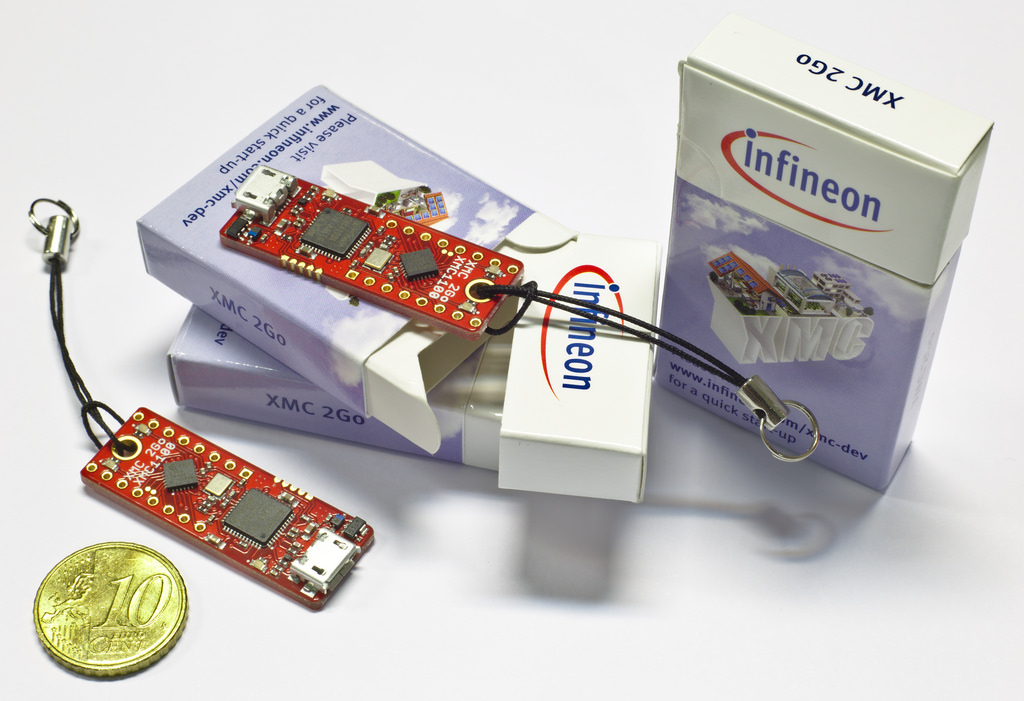
  • Board: Infineon XMC2Go Board
    ARM Cortex M0 – XMC1100, 64k ROM, 16k RAM
  • Keil µVision IDE
    When installed without a license, this acts like an eval version with a 32k size limit: we can live with that! The Willert Frameworks are really small, a Blinky is only a few KiloBytes without optimisation. If optimising it’s just over 1 KiloByte.
  • Keil CMSIS2 RTOS
    Embedded RTOS that implements the CMSIS standard
  • Rhapsody 8.2.1, the latest version
    We use the ‘C’ or the ‘C++’ version. We will cover both languages.
  • Willert RXF for C or C++
    The “general” version of the award-winning Rhapsody Framework.
    includes the UML Target Debugger
  • CygWin/Visual Studio/Eclipse
    Some C/C++ compiler running on a PC, preferably a free one.

Second: The sequence of installing:

  • C/C++-Compiler
  • Keil
  • Rhapsody
  • Willert RXF

See Installing Rhapsody for more info.

Third: What are we going to make?

That’s easy, there is a Hello World equivalent in the embedded world. It’s called Blinky. We let an LED blink on the board, that is about the smallest complete program you can make that still has user interaction.

Getting Started

Now we have installed it all, we can start using the environment to create a project.

First we start Rhapsody. I always like to make a shortcut on the Desktop to have Rhapsody accessible always. In Windows 10 you can pin it to the taskbar. As you can read a in the Installing Rhapsody part, you can influence the version of Rhapsody that is started by adding command line options.

So the version we need to start is Rhapsody Developer in C++. You can start Rhapsody Developer in C if you like, i will describe the differences between these versions.

People that just start with Rhapsody often ask: Why do I have to choose a language when I start a new model? Why can’t I do that later. Well that is because Rhapsody not only generates code, it also accepts your own code that you type in. You can do that in operations that are in classes but also in state-charts and activity diagram actions.

So changing the language after a while would implicate that you would have to change your own code as well. Can be done, but is much work. Also there are differences in the language versions. Rhapsody in C cannot generate code for inheritance (only from Interfaces) and there are mode differences.

Luckily you never switch the programming language that often, where I worked we always decided which one we’d use upfront and stayed with it…

Now that looks pretty empty

Yes, it does. That’s why it’s now time to create a new model. Rhapsody works with models. Models as in representations of the real world not the models from the middle pages of certain magazines… We can open an existing model but for now we will create a complete new one. Can be done in multiple ways;

I don’t use the mouse often so I usually press CTRL-N. Yes, I like the keyboard…. I’m old enough. And now we are outing ourselves anyway: Yes I like VI…. But feel free to use the mouse if you like. You’ll become a small window that asks you to enter 4 things.

  • Name, the name of the model. You’ll notice that Rhapsody adds the name of the model to the path. So it will create a new directory for every model you create.
  • Path, where the model is stored. Non-existing parts of the path will be created (after asking…. after all this is Windows!) only if you create a new directory in the root directory, this cannot be created. It’s not Rhapsody, it’s a Windows relict from the past. Have I already mentioned that I hate Windows?
  • Project type, here you can select a profile to be loaded with the new model. The profiles have to be stored in a Rhapsody directory (and preferably have an accompanying text file with the same name that contains a description)
  • Project settings, almost the same as project type but adds a settings file

You should create a directory that you can find easy, preferably c:\work or something similar. This is the directory to filled in after “Path”. As Project Name you take “Blinky”, as project Type you click on select, then scroll down to the directory “WST_RXF_V7”, in there choose “RXF_CPP_V7”. In the Settings Tab, go to the same directory and choose WSTProfile

If you have filled in everything a new model is created.

OK… Now what?

You see an empty model [picture of Rhapsody GUI]

There are a few area’s on the screen.

  • Menu
  • Browser
  • Diagram area
  • Output Area
  • Drawing Menu

The menu is a partly straightforward, the stuff that visual studio gives you for free, but parts are Rhapsody specific. You can create and open diagrams and do a lot more.

What is the Browser? It is the view to your model. It contains all element of your UML or SysML model. You can select what you see in the browser by using queries, you can from the browser, create and delete model elements. Your Browser View will not be empty, it will contain some default elements and the profiles you have selected when creating the model.

The Diagram Area is logically the view on your diagram. Per default Rhapsody will create and open a diagram for you: An object Model Diagram named “Model1”.

The Output Area is empty until you start doing things like generating, compiling or executing code. Then the output is shown here, beware, it has multiple tabs.

The drawing menu is on the right and contains the elements that can be used on the currently open diagram type. Rhapsody has possibilities to add items to it or to limit the items on the drawing menu.

Repository

Or, as we call it, the browser. When a new model is just created, it contains a few folders.

  • Components, contain what you are actually creating with Rhapsody. Per default it contains a single component: “DefaultComponent”. If you double-click that’s window will open, the Features Window. All Elements in Rhapsody have a feature window, a double-click will open it. Even diagrams have features, only they are not opened with a double click but with a right-click and selecting “Features”. A double click on a diagram will of course open that diagram. The first tab contains the name and type (library, executable or other”.The second has a “Scope” that lets you select what other UML elements are part of this component.
    Under a component there is at least one “Configuration” (Default: DefaultConfiguration” . This contains the information about the target environment.
  • Object Model Diagrams, normally all diagrams are located under a package, like all other UML elements. But to make a model better accessible for others we need diagrams on the top-level to assure an entry in the model. You can (Actually you should…) add navigation info to allow for traversing the model from there.
  • Packages, the base of your UML Model. Packages are nothing more than folders, however they have influence on the generated code, some elements will be generated inside .c (or .cpp) and .h. You can organize your work by dividing it in packages and sub-packages. And sub-sub-packages, and sub-sub-sub-packages, and… you get it I guess.
  • Profiles, these are the profiles that were loaded when we selected our project type. It is, of course possible to load more profiles after you have created the model. Just use “File”, “Add Profile to Model”. Profiles are used to transfer a lot of properties in one go but also to include certain information in the model.
  • Settings, about the same as profiles, technically there is no difference. Then why? Beats me….

C or C++?

What is the difference between Rhapsody in C and in C++? There are a few differences which I will explain but there is also a lot that is the same. You can draw exactly the same elements, the generated code will differ. Also the code that you enter must be equal to the chosen language otherwise nothing will work.

‘C++’ is of course closer to the UML. It already has classes, OO, inheritance and a lot more. But Rhapsody in ‘C’ also offers OO. Here you see the same class code, in ‘C’ and in ‘C++’.

The Object orientation in C is done by using a struct to mimic a class. (Private members are not really private there, unfortunately.But in Rhapsody, the get and set methods are used to implement private, public and (only in ‘C++) protected.
Functions have the name of the class as prefix to prevent linking problems when 2 classes have the same functions. Private functions have only the name of the function and are “static” which makes them really private.
All functions have a “class * me” as first parameter to have access to the objects attributes.
Calling a function in C++: object->function();
Calling the same in C: class_function(object);

So. That was the start. Happy modeling with Rhapsody and see you in part 2!

Walter van der Heiden (wvdheiden@willert.de)

Code-centric vs Model-centric Development with Rhapsody.

Keep on dreaming…..

On the phone with a customer I noticed that the customer was disappointed in Rhapsody and in its ability to handle C source code that was externally written.
I always find it very difficult to deal with people who are not happy with the tools we sold them. But yes, it does happen sometimes and unfortunately, this was no different.

This particular customer wanted to use Rhapsody to more or less monitor his coding in C and in the meantime draw diagrams that represent his documentation. And also when it fitted better he wanted to draw in Rhapsody and then generate the C code according to his coding standard.
I never promised that such a scenario would work, I’m very sure, but this is what the customer understood from my words in earlier visits before buying.
I think that is OK, I am not offended, nor angry, nor do I take it personally. Customers are just as human as I am. I also hear what I want to hear and interpret until it’s right for me.
So, I do hear the ice cream man say: “I will be in your street today” and I do not hear him add: “but I wont be stopping…..” No problem.

The problem is that it I hate it when my customers are unhappy and I would like to change that but it I find it very difficult to transfer the correct information to a future customer during the sales process. Let’s give it a try here…

The truth, the whole truth and nothing but the truth.

NO! It is NOT possible! You cannot use Rhapsody and just continue coding C or C++ (or even Java).
Well… not entirely…. You can do some of that.
Is it any good? No, it’s not. Well.. it is OK but not more than that. If you just want to understand your fuzzy written code and expect Rhapsody to generate perfect UML diagrams so that you can understand some spaghetti code that you found on your hard disk: Keep on Dreaming. Never gonna happen.

As I always say: Reverse Engineering is a GiGo Process: Garbage in, Garbage out. There is no way that you can automatically make the incomprehensible understandable.
That is perfectly OK, badly written code should be re-designed and re-made….
(Yes, I know there are programmers that think otherwise…
– It was hard to write, it should be hard to read….
– Better write software with “built-in understandability protection” to ensure your pension plan.
…but I do not agree there…)

Now in C++ or Java the conversion to UML works reasonably well since these languages already support OO like UML does. But even in these languages you have to comply with Rhapsody coding, it is not a simple process. Reverse Engineering for C, however, is a totally different matter.
There are some YouTube movies in the internet describing RE in Rhapsody (see links at the bottom) but for these demo’s they all used Rhapsody in C++.
And there is a reason for that…

But before I tell you what is possible and what not in Rhapsody in C, may I gently remind you that Rhapsody is a UML Tool? Yes!, that is what it was built for. From the beginning in 1996 it was designed from the bottom up to be the worlds greatest UML Tool. And it is!
(It is possible that I am a bit prejudiced here)

For Rhapsody the same applies as for all tools: the best way to become happy with a tool is by using it as closely to the way the creators have intended it. The more you bend the tool to do things your way, the unhappily you will become.

I always tell that to my customers and to my future customers. Always. But funny enough nobody hears it. That is just not what they want to hear. They all want the holy grail of software developers: the tool that does exactly what you want without errors. And there is no such thing, sorry. But, enough ranting, let’s go through what you _can_ do.

(Re-) Using your code in Rhapsody

Basically there are 3 variants: Code-centric, Model-centric and Code-aware.

Model-centric:

This is the way to use Rhapsody. Your Model is the base of all. Code generation will generate your application. It can be compiled and linked to the framework (RXF) and you have a working application.
Code will be generated from Class and Object Diagrams, Structure Diagrams and from State-machine Diagrams and Activity Diagrams.
Rhapsody also supports flowcharts (Although these are NOT UML!) for the behavioral code of operations.

Code-centric:

Here you use Rhapsody only to visualize your code. You can change the code and Rhapsody can process it to reflect the code in your model and in (some) diagrams.

How does that work?

  1. Switch your Rhapsody to Code-centric. How?
    – When you are working in the Rhapsody Architect for Software your project will be code-centric by default.
    – In Developer (or EUSIII) you can add the CodeCentric profile via the menu “Add Profile to Model”. In the next file selection screen go up one directory and then go to “Settings”. There you will find “CodeCentric” (Or if you have a Willert Install, “CodeCentric_Original) and load the newest file with the correct language)
  2. You can now use “Tools”, “Reverse Engineering” (RE) from the menu to read-in the files that you want to use. Beware!: Starting RE makes changes to Rhapsody that might not be easy to revert.
  3. Things you can (or should) do before using RE:
    • Create a new Component
  4. Your reversed engineered code is now in Rhapsody. How does it look?
    • You will see Packages, Files with variables and functions.
    • These artefacts are NOT UML artefacts, they are introduced by Rhapsody to allow working with code.
  5. Rhapsody will generate OMD’s (Object Model Diagrams) with the structure of your files. If you have a lot of include files this does not really help.
  6. Rhapsody will NOT automatically generate Flow Diagrams (Activity Diagrams for functions). You can ask Rhapsody to do so (Right-click, “Populate FlowChart”).
    remember: there is always just one “leading” source. Either your code or your Diagram. Check your settings.
  7. The best way to use the reversed engineered stuff is to convert it to “decent” Rhapsody elements like classes and objects. It is a bit of work but the result is very helpful.


Code-Aware:

The “hybrid” form. Not really supported.

Problems and possible solutions

  • All the code-centric stuff is (current version is 8.2) only useable on 32-bit Rhapsody. 64-bit is improving but not there yet.
  • Don’t expect miracles. If your code sucks, it will suck in Rhapsody as well. No way around it.
  • Be prepared to experiment with re-reading in a new model. Sometimes that clears things.
  • It’s 5 am…. do you know where your properties are? You better…. Check out what is set. Remember: Reverse Engineering sets properties by itself!

More information on YouTube

Gavin Arthurs speaks about Rhapsody mode/code centric:
Gavin on Rhapsody

Fraser Chadburn speaks about Code-centric development in C++:
Fraser on Code-centric

Chris Carson speaks about Code Reuse:
Chris about Code Reuse

Thomas Hall speaks about Reverse Engineering:
Thomas on Reverse Engineering

Too hot to work…

There are people who deny the climate change… I’m not one of them. It is hot here today.. and my Home Office does not have an Aircon… Well… just ignore the heat and keep on writing! Today an item about Class Variables in ‘C’.

Support Case

I got a question in support@willert.de (An email address normally only for customers with a valid support contract. But we will do our best to answer all questions from all people)

The question was: Does Rhapsody in ‘C’ has a possibility to use Class variables, i.e Attributes that are shared over all instances?

The answer is, yes with some little tricks!

Class Variables

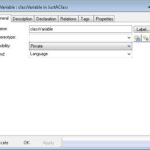
Class variables are actually not difficult. Normally, Attributes are generated inside the Class structure and can never be declared static, that is a disadvantage of ,C‘.

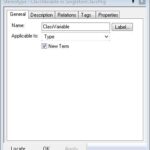
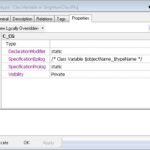
But we also have types that we can use. A Type will be generated outside the Class structure. In combination with a <> „New Term“ we can, with a minimal amount of hand labour, create a Class Variable that helps us in creating a real Singleton.


The stereotype does the following:

– It sets the name for the variable (prefixed with the class name) and the visibility. – The variable is declared „static“ so it is not visible outside the C file.

– Visibility is set to private.


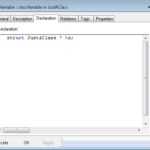
TheType must be „LanguageType“ and the declaration must be the desiredType. %s is the name of theType.

The nice thing about this is that it really looks good in your browser tree, very logical what is happening, as it should be!

Happy Modeling with Rhapsody!

Walter van der Heiden wvdheiden@willert.de


« Older posts Newer posts »

© 2026 Rhapsody TechBlog

Theme by Anders NorenUp ↑